Vignette
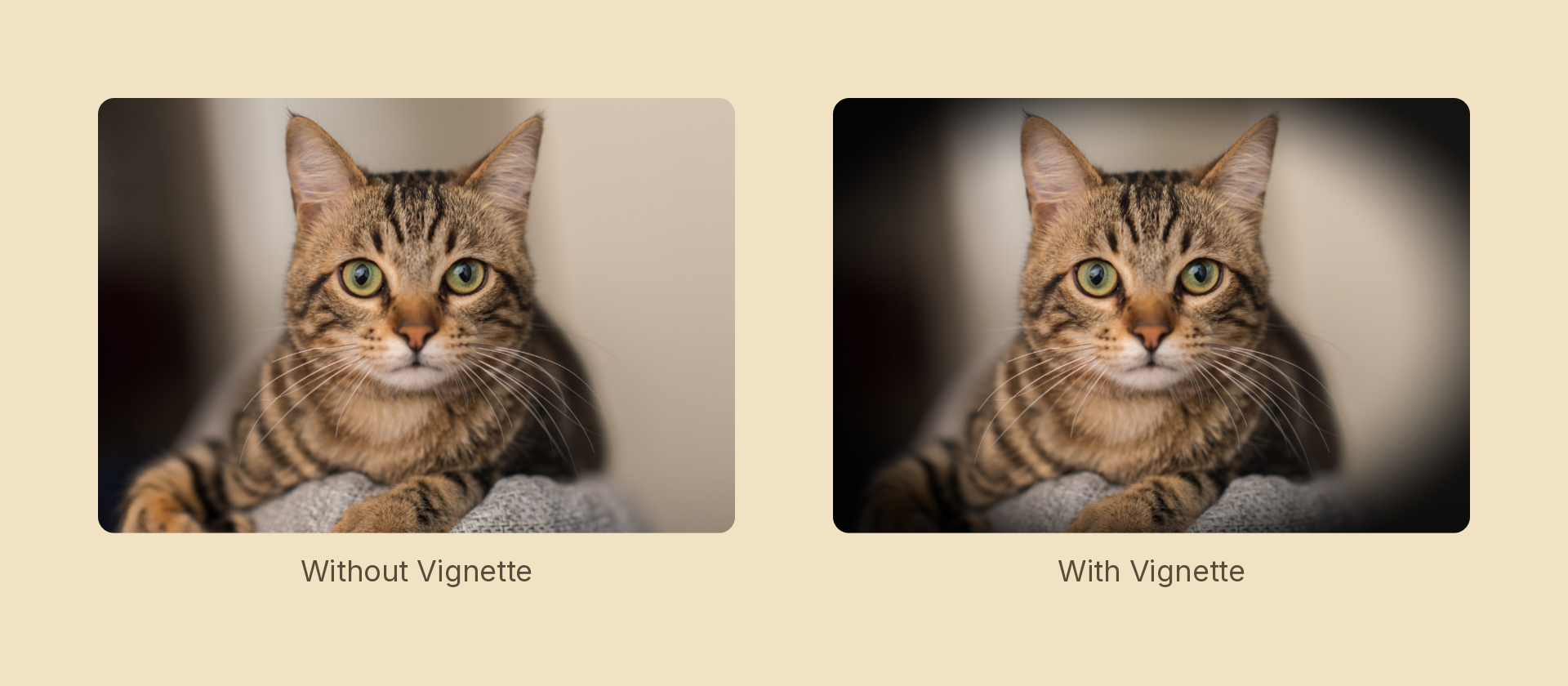
Ramps a tint in toward the edges of a node — the lens falloff every photo grade reaches for. The falloff is normalized by the node's half-extent, so it follows the box's aspect ratio instead of an off-center circle.
Usage
import { Effects } from 'motion-script';

// Default: a soft black falloff at half strength
<Image src={'./photo.jpg'} effects={Effects.vignette()} />

// Scalar shorthand sets the amount
<Image src={'./photo.jpg'} effects={Effects.vignette(0.9)} />

// A tight, hard-edged spotlight
<Image src={'./photo.jpg'} effects={Effects.vignette({ amount: 1, radius: 0.4, softness: 0.2 })} />

// White vignette — the tint is a color, not just a darkening
<Image src={'./photo.jpg'} effects={Effects.vignette({ amount: 0.8, color: 'white' })} />
Props
| Prop | Type | Default | Description |
|---|---|---|---|
type | 'vignette' | – | Effect identifier |
amount | number | 0.5 | 0–1 tint strength at the outside. 0 is off |
radius | number | 0.75 | Normalized radius where the ramp starts. 1 is the middle of each edge, √2 the corners |
softness | number | 0.5 | Width of the ramp. 0 is a hard ring, 1 a long gradient |
color | Color | 'black' | Tint color. Its alpha scales the effect alongside amount |
mode | 'foreground' | 'backdrop' | 'foreground' | 'backdrop' vignettes whatever the node sits over, clipped to its silhouette |
Animating
import { createScene, createRef, Rect, Effects, easeInOut } from 'motion-script';

export default createScene(function* (stage) {
  const card = createRef<Rect>();
  stage.add(<Rect ref={card} width={600} height={400} effects={Effects.vignette(0)} />);

  yield* card().to({ effects: Effects.vignette(1) }, 1.2, easeInOut('quad'));
});
Stacking with other effects
// Film look: grade, grain, then darken the corners last
<Image src={'./photo.jpg'} effects={Effects.vintage(0.6).grain(0.2).vignette(0.7)} />
Order matters — a vignette applied before a threshold or posterize gets quantized along with everything else, which is occasionally what you want and usually not.
See also
colorAdjustment has no vignette field as a scene effect: it is a color matrix, which has no access to a pixel's position. This effect is the real implementation.