Curves
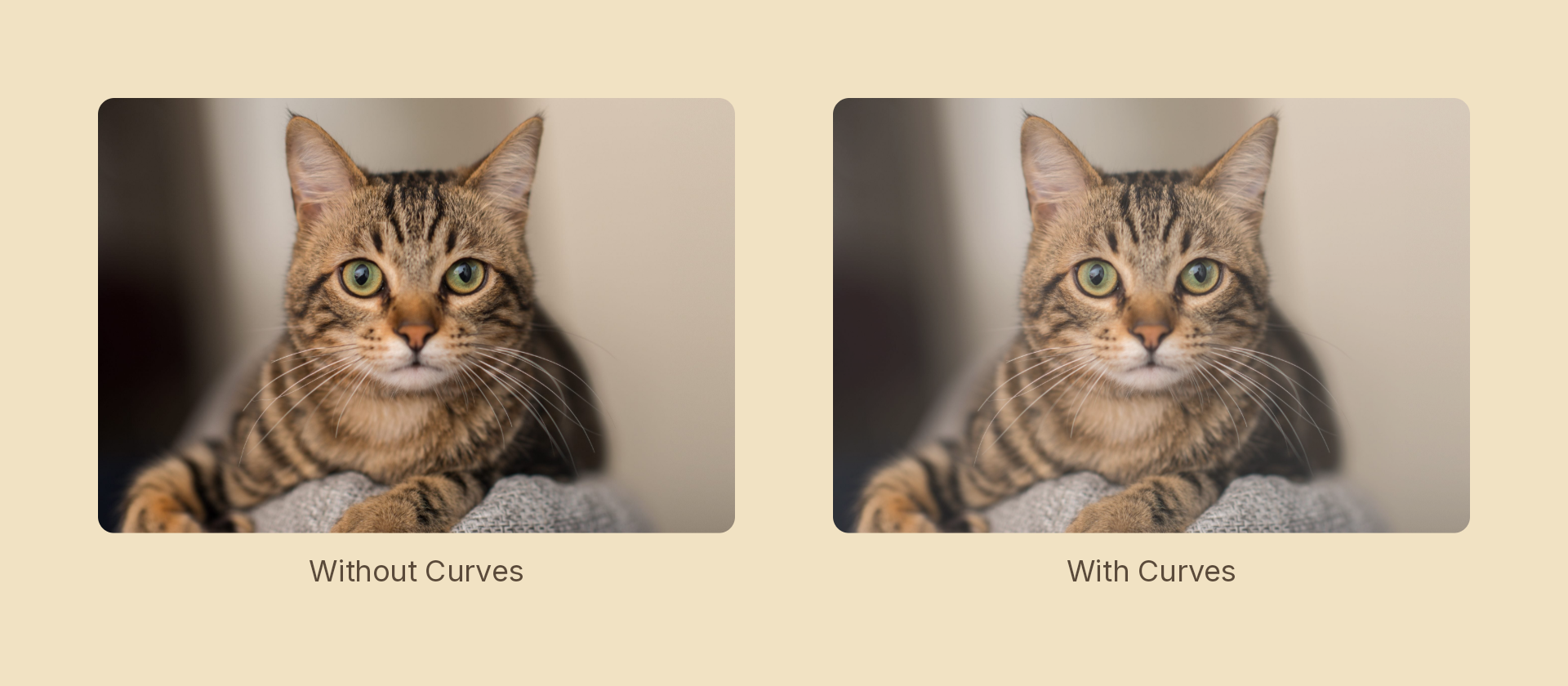
Remaps tones along a curve defined by control points. This is the same adjustment ImageFilters.curves applies to an image fill, available on any node — so a group of shapes or a text block can be graded the way a photo can.
Usage
import { Effects } from 'motion-script';

// Lift the shadows, roll off the highlights
<Rect effects={Effects.curves({ points: [[0, 0.15], [0.5, 0.55], [1, 0.9]] })} />

// Target a single channel
<Rect effects={Effects.curves({ points: [[0, 0], [1, 0.8]], channel: 'b' })} />

// Raw object
<Rect effects={[{ type: 'curves', points: [[0, 0], [1, 1]], channel: 'rgb' }]} />
Props
| Prop | Type | Default | Description |
|---|---|---|---|
type | 'curves' | – | Effect identifier |
points | [number, number][] | – | Control points as [input, output] pairs in 0–1 |
channel | 'rgb' | 'r' | 'g' | 'b' | 'a' | 'rgb' | Channel(s) the curve applies to |
mode | 'foreground' | 'backdrop' | 'foreground' | 'backdrop' grades the content beneath the node |
Points do not need to be sorted; they are ordered by input before evaluation.
A linear approximation, not a LUT
This CanvasKit build exposes no lookup-table color filter, so the curve is fitted to a best-fit line (least squares over a dense sampling) and applied as a color matrix. Practical consequences:
- Monotonic lifts, drops and gain changes reproduce well.
- An S-curve or any strongly non-monotonic shape is flattened to its average slope — you get the overall direction, not the contrast crossover.
The image-fill filter and this scene effect share one implementation deliberately, so ImageFilters.curves and Effects.curves can never mean two different curves. If you need a hard tonal break, threshold or posterize are exact.
Animating
Points move pairwise, so two curves with the same number of points morph smoothly. channel snaps at the midpoint.
import { createScene, createRef, Rect, Effects, easeInOut } from 'motion-script';

export default createScene(function* (stage) {
  const card = createRef<Rect>();
  stage.add(<Rect ref={card} effects={Effects.curves({ points: [[0, 0], [0.5, 0.5], [1, 1]] })} />);

  yield* card().to(
    { effects: Effects.curves({ points: [[0, 0.3], [0.5, 0.6], [1, 0.85]] }) },
    1.2,
    easeInOut('quad'),
  );
});
See also
colorAdjustment covers brightness, contrast, saturation and white balance with named knobs, and composes with this one.