Edges
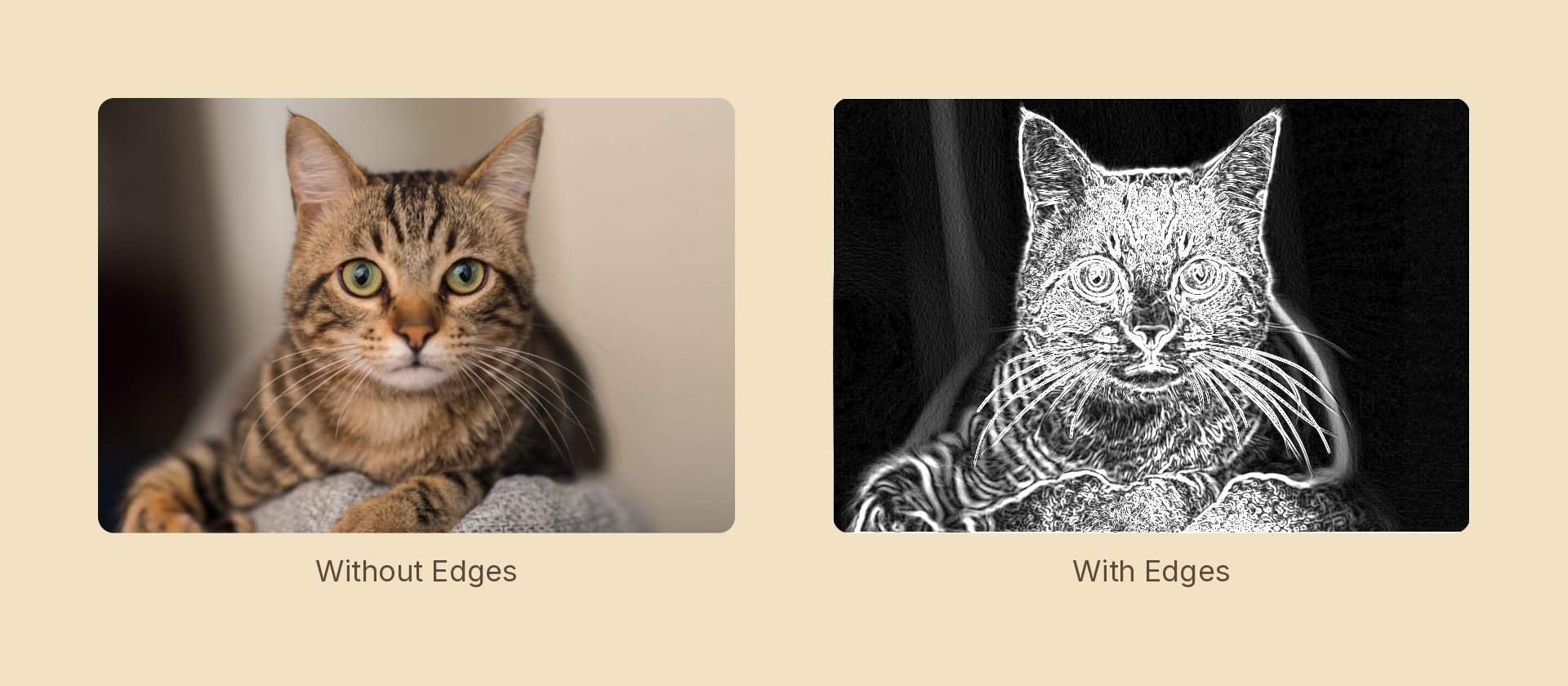
Replaces the content with the magnitude of its own gradient: flat areas go black, boundaries light up.
Usage
import { Effects } from 'motion-script';

// Default: a monochrome Sobel at full strength
<Image src={'./photo.jpg'} effects={Effects.edges()} />

// Scalar shorthand sets the strength
<Image src={'./photo.jpg'} effects={Effects.edges(3)} />

// Finest lines, picks up texture the gradient operators smooth over
<Image src={'./photo.jpg'} effects={Effects.edges({ strength: 2, kernel: 'laplacian' })} />

// Per-channel edges, for colour fringing
<Image src={'./photo.jpg'} effects={Effects.edges({ strength: 2, colored: true })} />
Props
| Prop | Type | Default | Description |
|---|---|---|---|
type | 'edges' | – | Effect identifier |
strength | number | 1 | Multiplier on the detected magnitude. 0 is off (the pass is skipped entirely) |
kernel | 'sobel' | 'prewitt' | 'laplacian' | 'sobel' | Which operator measures the gradient |
colored | boolean | false | Run per RGB channel instead of on luminance |
mode | 'foreground' | 'backdrop' | 'foreground' | 'backdrop' detects edges in the content beneath the node |
Choosing a kernel
| Kernel | Character |
|---|---|
'sobel' | Thick, smooth, noise-tolerant. The default |
'prewitt' | The same gradient without center weighting — thinner, more literal, noisier on gradients |
'laplacian' | Second derivative in one pass. Finest lines, most texture |
Animating
strength interpolates; kernel and colored snap at the midpoint (an intermediate kernel would be meaningless).
import { createScene, createRef, Image, Effects, easeInOut } from 'motion-script';

export default createScene(function* (stage) {
  const photo = createRef<Image>();
  stage.add(<Image ref={photo} src={'./photo.jpg'} effects={Effects.edges(0)} />);

  yield* photo().to({ effects: Effects.edges(3) }, 1.2, easeInOut('quad'));
});
Stacking with other effects
// Blueprint: detect edges, then map the greys onto two ink colours
<Image src={'./photo.jpg'} effects={Effects.edges(2).duotone({ shadows: '#04204a', highlights: '#8fd0ff' })} />
Taps read premultiplied color deliberately, which makes the alpha silhouette itself a step in the signal — so a shape's outline registers as an edge instead of vanishing into the transparent surround. Output alpha is max(source alpha, magnitude) so that boundary edge stays visible, meaning the result can grow by up to one tap outside the node.