RGB Shift
Displaces the red, green and blue planes independently — the digital colour-separation artifact.
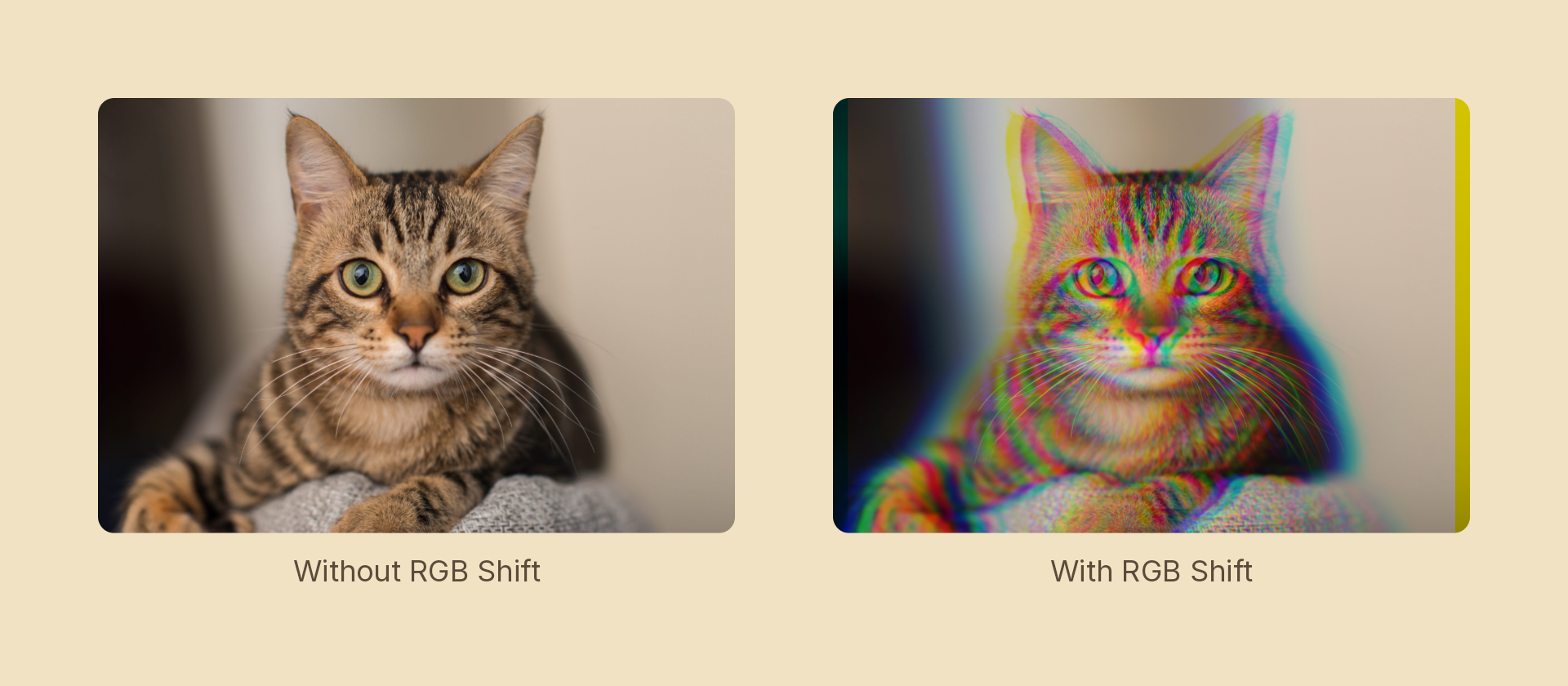
Usage
import { Effects } from 'motion-script';

// Default: red and blue spread ±4px horizontally, green stays put
<Text text={'SIGNAL'} effects={Effects.rgbShift()} />

// Scalar shorthand sets the spread
<Text text={'SIGNAL'} effects={Effects.rgbShift(18)} />

// Full control — any channel, any direction
<Text
  text={'SIGNAL'}
  effects={Effects.rgbShift({ red: { x: 8, y: -3 }, green: { x: 0, y: 2 }, blue: { x: -6, y: 4 } })}
/>
Props
| Prop | Type | Default | Description |
|---|---|---|---|
type | 'rgbShift' | – | Effect identifier |
amount | number | 4 | Shorthand: ±px horizontal spread of red against blue. Overridden per channel |
red | Vector2 | { x: amount, y: 0 } | Red plane offset in pixels |
green | Vector2 | { x: 0, y: 0 } | Green plane offset in pixels |
blue | Vector2 | { x: -amount, y: 0 } | Blue plane offset in pixels |
mode | 'foreground' | 'backdrop' | 'foreground' | 'backdrop' separates the content beneath the node |
Versus chromatic aberration
Both fringe colour, and they are not redundant:
chromaticAberrationmodels a lens. The fringing is symmetric and driven by one distance and one angle, because that is what real dispersion does.rgbShiftis the digital artifact. Each plane goes wherever you point it, including all three differently — which is what makes it the colour-tear component of a glitch.
Reach for the first on a photographic look, the second on a broken-signal one.
Animating
Every offset interpolates:
import { createScene, createRef, Text, Effects, easeOut } from 'motion-script';

export default createScene(function* (stage) {
  const title = createRef<Text>();
  stage.add(<Text ref={title} text={'SIGNAL'} fontSize={96} effects={Effects.rgbShift(20)} />);

  yield* title().to({ effects: Effects.rgbShift(0) }, 0.5, easeOut('expo'));
});
Stacking with other effects
// VHS: tear the tape, then let the torn bands carry their own fringe
<Image src={'./photo.jpg'} effects={Effects.blockDisplace(40).rgbShift(7).scanlines(0.5).grain({ amount: 0.2, animated: true })} />
Output alpha is the max of the three taps, not the centre's — otherwise a channel displaced outward past the silhouette would be clipped exactly where the fringe is most visible.