Threshold
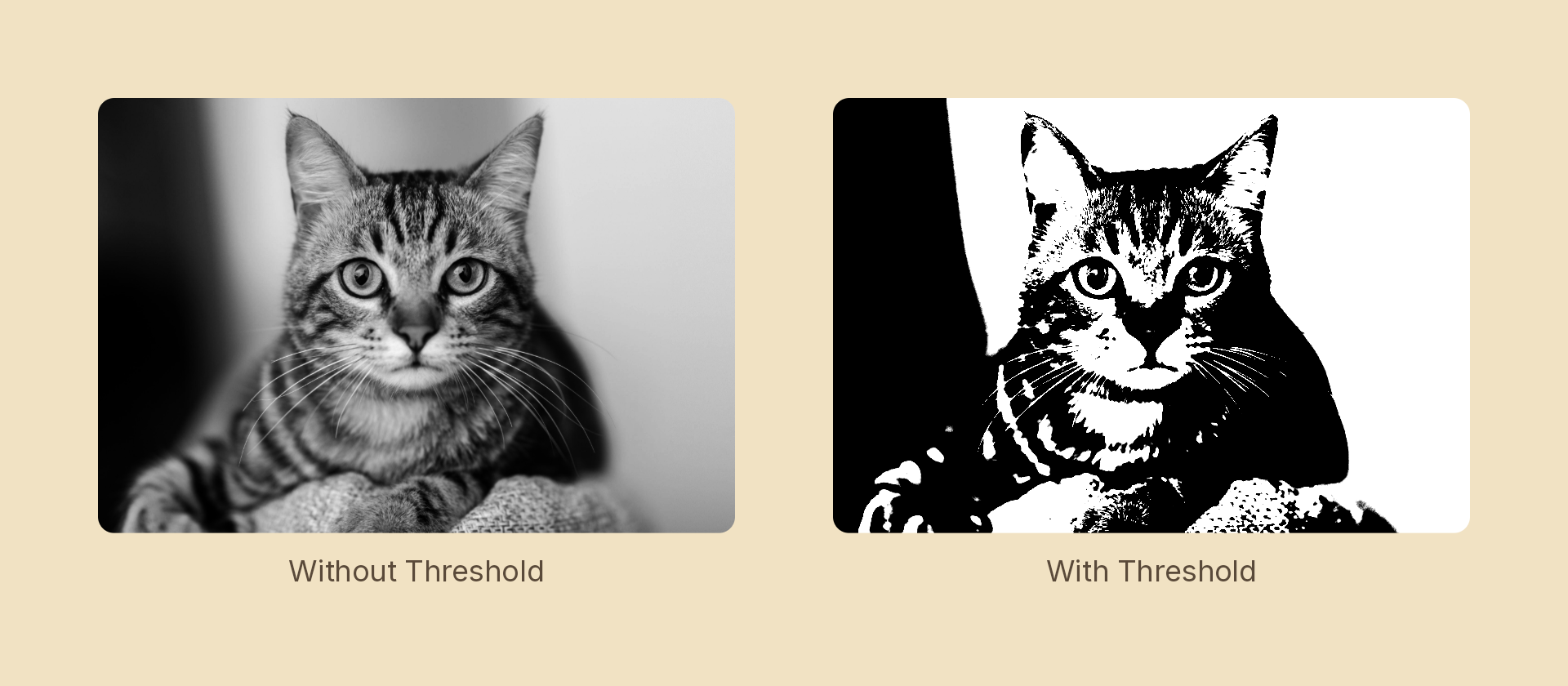
Cuts the content to two tones at a luminance level — the stencil / high-contrast look.
Usage
import { Effects } from 'motion-script';

// Default: cut at the midpoint, just enough ramp to antialias
<Image src={'./photo.jpg'} effects={Effects.threshold()} />

// Scalar shorthand sets the level
<Image src={'./photo.jpg'} effects={Effects.threshold(0.35)} />

// A wide ramp keeps some midtone modelling instead of a pure stencil
<Image src={'./photo.jpg'} effects={Effects.threshold({ level: 0.5, smoothness: 0.4 })} />
Props
| Prop | Type | Default | Description |
|---|---|---|---|
type | 'threshold' | – | Effect identifier |
level | number | 0.5 | 0–1 luminance cut point |
smoothness | number | 0.05 | Width of the ramp around the cut. 0 is a hard, aliased edge |
mode | 'foreground' | 'backdrop' | 'foreground' | 'backdrop' thresholds the content beneath the node |
smoothness is split evenly either side of level, so the boundary softens symmetrically as it widens rather than drifting brighter. Leave the small default in place unless you specifically want aliasing — at 0 the cut is a hard step.
Animating
Sweeping level wipes the image between black and white, which makes a good reveal:
import { createScene, createRef, Image, Effects, easeInOut } from 'motion-script';

export default createScene(function* (stage) {
  const photo = createRef<Image>();
  stage.add(<Image ref={photo} src={'./photo.jpg'} effects={Effects.threshold(0.05)} />);

  yield* photo().to({ effects: Effects.threshold(0.95) }, 1.5, easeInOut('quad'));
});
Stacking with other effects
// Screen-print: cut to two tones, then colour them
<Image src={'./photo.jpg'} effects={Effects.threshold(0.5).duotone({ shadows: '#1b1b1b', highlights: '#ff5a36' })} />
See also
posterizequantizes to N bands per channel and keeps colour.ditherquantizes too, but trades the error for a pattern instead of flat regions.