Outline
Traces a colored band around a node's alpha silhouette — including silhouettes a geometry stroke can't follow, like text glyphs, an image's cutout, or a whole subtree flattened together.
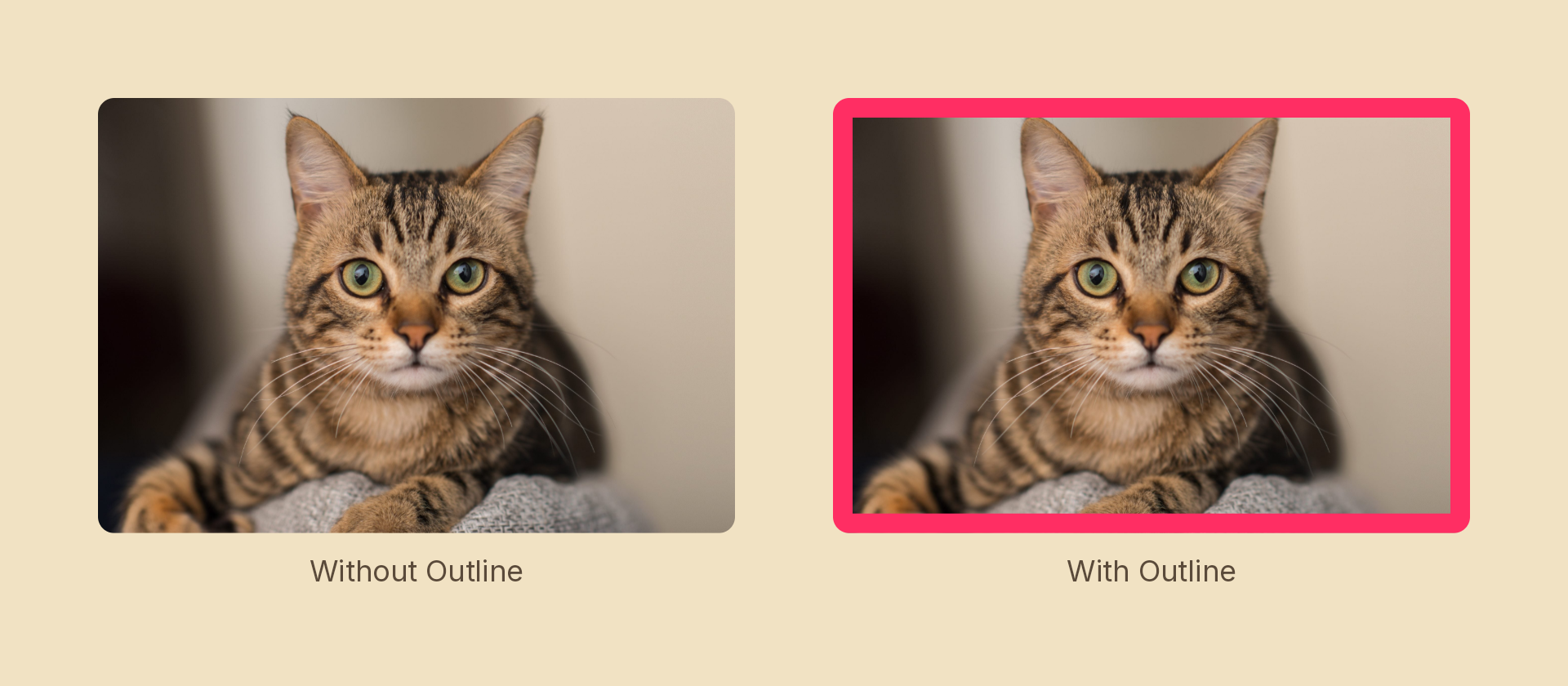
Usage
import { Effects } from 'motion-script';

// Default: a 4px black band outside the silhouette
<Text text={'EDGE'} effects={Effects.outline()} />

// Scalar shorthand sets the width
<Text text={'EDGE'} effects={Effects.outline(12)} />

// Full options
<Text text={'EDGE'} effects={Effects.outline({ width: 12, color: '#ff2e63', position: 'inside' })} />

// Raw object
<Text text={'EDGE'} effects={[{ type: 'outline', width: 12, color: 'red', position: 'outside' }]} />
Props
| Prop | Type | Default | Description |
|---|---|---|---|
type | 'outline' | – | Effect identifier |
width | number | 4 | Band thickness in pixels. Scales with the node, like a blur radius |
color | Color | 'black' | Any CSS color, theme alias, or [r, g, b, a] tuple |
position | 'outside' | 'center' | 'inside' | 'outside' | Which side of the edge the band grows from |
mode | 'foreground' | 'foreground' | Foreground only — a backdrop has no silhouette to trace |
Choosing a position
'outside'grows beyond the edge and leaves the content untouched. Note that it needs somewhere to go: on a shape that fills its own box, or inside a clipping parent, the band lands outside the visible area.'inside'eats inward, so the node's footprint never changes. The safe choice for a full-bleed image or a box-filling rect.'center'straddles the edge, half the width on each side.
Animating
Both width and color interpolate, so an outline can be drawn on:
import { createScene, createRef, Text, Effects, easeOut } from 'motion-script';

export default createScene(function* (stage) {
  const label = createRef<Text>();
  stage.add(<Text ref={label} text={'EDGE'} fontSize={120} effects={Effects.outline(0)} />);

  yield* label().to({ effects: Effects.outline({ width: 14, color: 'accent' }) }, 0.6, easeOut('quad'));
});
Stacking with other effects
// Sticker look: outline the glyphs, then bloom the whole thing
<Text text={'HI'} effects={Effects.outline({ width: 10, color: 'white' }).bloom(1.5)} />
How it works
The band is the difference between a dilated and an eroded copy of the source's alpha, sampled as a ring of taps around each pixel. Two consequences worth knowing:
- The tap count scales with
width, so cost grows with the band — a very wide outline over a large canvas is not free. - Erosion samples rings rather than the full disc, so a feature thinner than roughly
width / 12can leak through an'inside'or'center'band. This shows up on hairline serifs, not on normal shapes.