Scanlines
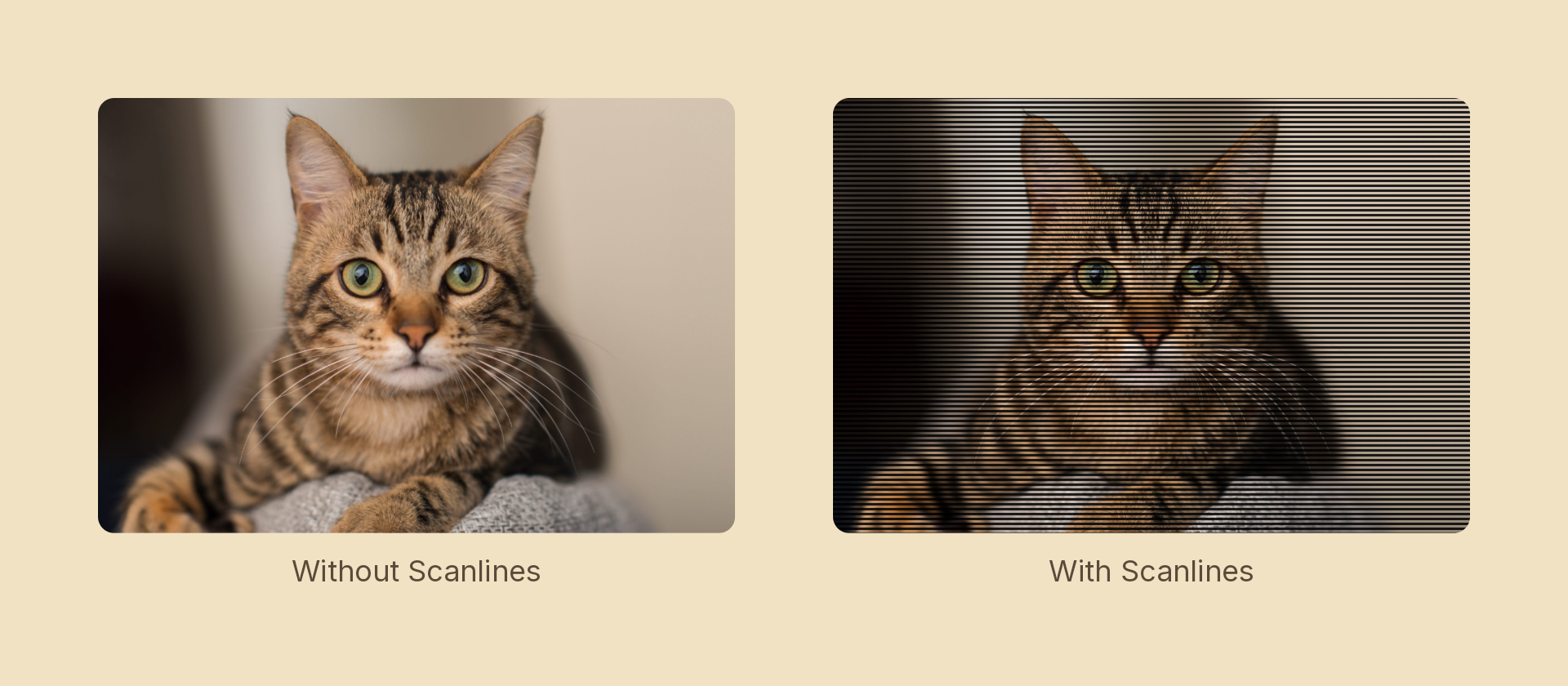
Periodic dark bands across the content — the CRT line structure.
Usage
import { Effects } from 'motion-script';

// Default: 4px bands at half darkness
<Image src={'./photo.jpg'} effects={Effects.scanlines()} />

// Scalar shorthand sets the darkness
<Image src={'./photo.jpg'} effects={Effects.scanlines(0.85)} />

// Coarse, thin bands at an angle
<Image src={'./photo.jpg'} effects={Effects.scanlines({ spacing: 10, thickness: 0.25, angle: 90 })} />
Props
| Prop | Type | Default | Description |
|---|---|---|---|
type | 'scanlines' | – | Effect identifier |
spacing | number | 4 | Distance between band centers, in pixels |
thickness | number | 0.5 | 0–1 share of each period the dark band covers |
darkness | number | 0.5 | 0–1 how far the bands darken. 0 is off |
offset | number | 0 | Band phase in pixels — animate to roll the pattern |
angle | number | 0 | Band angle in degrees. 0 = horizontal bands |
mode | 'foreground' | 'backdrop' | 'foreground' | 'backdrop' bands the content beneath the node |
Bands are measured from the node's center, so they travel with the node rather than the node sliding underneath a screen-fixed pattern.
Rolling the pattern
offset is applied before the wrap, so a linear tween past spacing loops seamlessly — the slow vertical roll of a mistuned set:
import { createScene, createRef, Image, Effects, linear } from 'motion-script';

const bands = (offset: number) => Effects.scanlines({ darkness: 0.6, spacing: 6, offset });

export default createScene(function* (stage) {
  const screen = createRef<Image>();
  stage.add(<Image ref={screen} src={'./photo.jpg'} effects={bands(0)} />);

  // One full period per second. Snapping back to 0 is invisible because the
  // pattern at `offset: spacing` is identical to the pattern at `offset: 0`.
  for (let i = 0; i < 4; i++) {
    yield* screen().to({ effects: bands(6) }, 1, linear);
    screen().set({ effects: bands(0) });
  }
});
Stacking with other effects
// CRT
<Image src={'./photo.jpg'} effects={Effects.scanlines({ darkness: 0.5, spacing: 4 }).bloom(1.2).vignette(0.5)} />
The band profile is a smoothstep pair rather than a hard step: at typical spacings a hard edge aliases into a moiré the moment the node moves or scales. A sub-pixel period has no visible band, so the effect is skipped.