God Rays
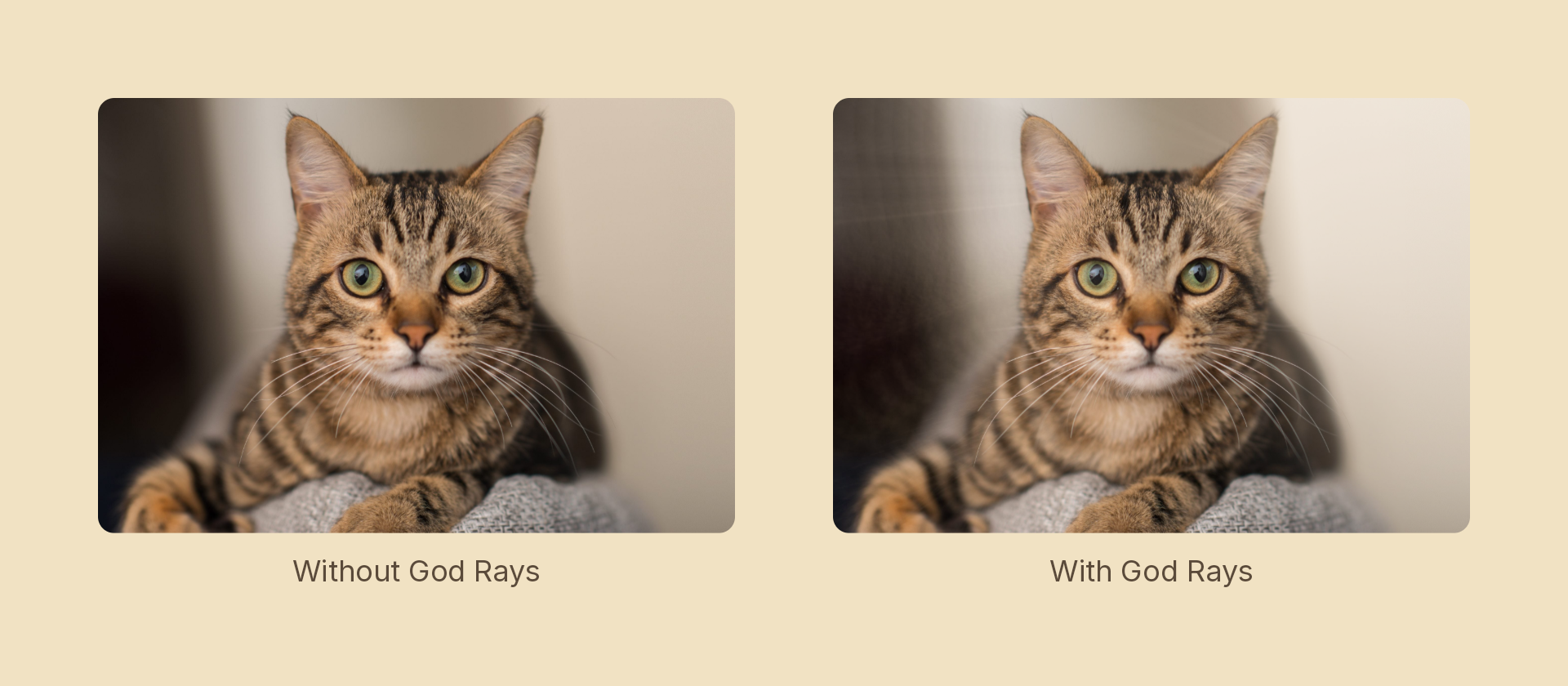
Crepuscular rays: bright areas smeared outward from a point and screened back over the source, so light appears to stream past whatever occludes it.
Usage
import { Effects } from 'motion-script';

// Default: light from the centre
<Rect effects={Effects.godRays()} />

// Scalar shorthand sets the intensity
<Rect effects={Effects.godRays(2)} />

// A sun in the upper left, reaching further
<Rect effects={Effects.godRays({ intensity: 2.4, center: { x: 0.25, y: 0.15 }, length: 0.8 })} />
Props
| Prop | Type | Default | Description |
|---|---|---|---|
type | 'godRays' | – | Effect identifier |
intensity | number | 1 | Additive multiplier for the ray pass. 0 is off |
threshold | number | 0.6 | 0–1 luminance cutoff — only brighter pixels cast rays |
length | number | 0.6 | How far rays reach, as a fraction of the distance to center |
center | Vector2 | { x: 0.5, y: 0.5 } | Light source in 0–1 layer coordinates |
decay | number | 0.96 | Per-step falloff. Below 1 the rays fade with distance |
samples | number | 32 | Taps marched per pixel, clamped to 4–48 |
mode | 'foreground' | 'backdrop' | 'foreground' | 'backdrop' lights the content beneath the node |
The subject matters
More than for most effects. Rays are only visible where something bright is partly blocked — a sun behind a branch, a window behind a frame, a light behind lettering. On a flat, evenly-lit photograph there is nothing for light to stream past, and the result is a gentle overall brightening rather than beams.
Versus radial blur
They look related and are not interchangeable:
radialBlurin'zoom'style smears everything from a point, so the occluder softens along with the light.godRayssmears only what clearsthreshold, and screens it over the untouched source — so the occluder stays sharp and only the light travels.
That thresholding is why this needs a shader scope while streak doesn't.
Animating
intensity, threshold, length, center and decay all interpolate; samples snaps at the midpoint, being a quality knob rather than a look.
import { createScene, createRef, Rect, Effects, easeInOut } from 'motion-script';

export default createScene(function* (stage) {
  const card = createRef<Rect>();
  stage.add(<Rect ref={card} effects={Effects.godRays(0)} />);

  yield* card().to({ effects: Effects.godRays(2.4) }, 1.2, easeInOut('quad'));
});
Each pixel's march starts at a randomised offset. Without that, sample positions line up into concentric arcs and the rays band visibly — no affordable tap count hides it, and the dither costs one hash.