Color Adjustment
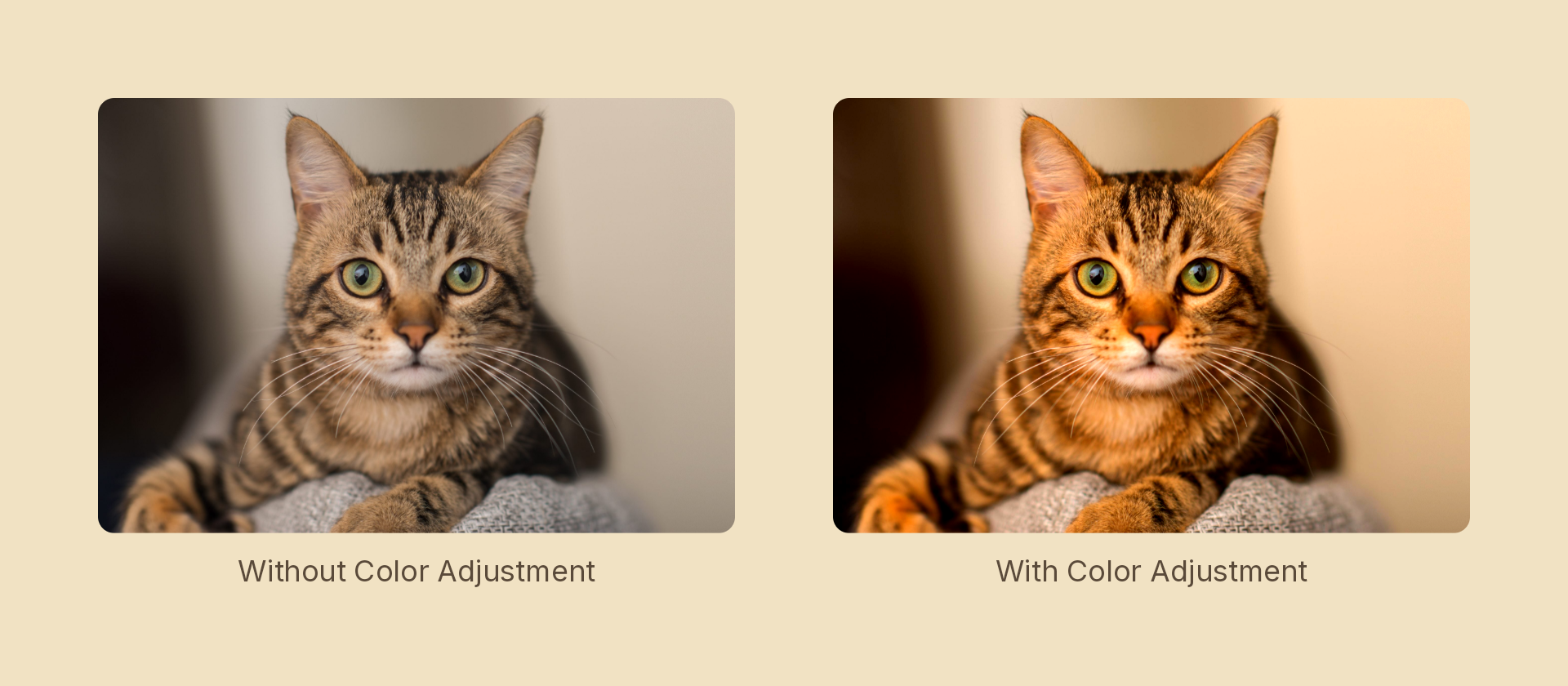
Photographic grading — brightness, contrast, saturation, hue, vibrance, shadows, highlights, temperature and tint — as a scene effect. The grading panel ImageFilters.colorAdjustment gives an image fill, available on any node.
Hue rotation
hue rotates the colour wheel by an angle in degrees, preserving luma — so colours change without anything changing how light it reads. It wraps, which means a linear tween over 360 cycles the whole wheel and lands exactly back where it started:
yield* card.to({ effects: Effects.colorAdjustment({ hue: 360 }) }, 4, linear);
Effects.invert({ channel: 'hue' }) is the fixed 180° case of the same rotation, kept for symmetry with the other channel inversions.
Usage
import { Effects } from 'motion-script';

// Punch up a group of shapes
<Rect effects={Effects.colorAdjustment({ contrast: 1.4, saturation: 1.3 })} />

// Warm it up and lift the shadows
<Rect effects={Effects.colorAdjustment({ temperature: 0.5, shadows: 0.3 })} />

// Raw object
<Rect effects={[{ type: 'colorAdjustment', brightness: 0.1, vibrance: 0.4 }]} />
Props
Every field is optional and defaults to neutral.
| Prop | Type | Default | Description |
|---|---|---|---|
type | 'colorAdjustment' | – | Effect identifier |
brightness | number | 0 | −1…1. Shifts overall lightness without clipping the way exposure does |
contrast | number | 1 | 0…2. Spreads highlights and shadows further apart |
saturation | number | 1 | 0…3. Scales color saturation uniformly |
hue | number | 0 | Hue rotation in degrees, luma-preserving. Wraps at 360 |
vibrance | number | 0 | −1…1. Boosts muted colors more than already-vivid ones |
shadows | number | 0 | −1…1. Lifts or crushes the shadow end |
highlights | number | 0 | −1…1. Brightens or rolls off the highlight end |
temperature | number | 0 | −1…1. Negative is cool/blue, positive warm/orange |
tint | number | 0 | −1…1. Negative is green, positive magenta |
mode | 'foreground' | 'backdrop' | 'foreground' | 'backdrop' grades the content beneath the node |
Adjustments compose into a single color matrix in the order listed, so the whole panel costs one filter.
No vignette field
The image-fill filter carries a vignette number that was never implemented — a vignette needs each pixel's position, which a color matrix does not have. The scene effect drops the field; use Effects.vignette(), which implements it properly.
Animating
Every field interpolates, so a full grade can be dialled in over time:
import { createScene, createRef, Rect, Effects, easeInOut } from 'motion-script';

export default createScene(function* (stage) {
  const card = createRef<Rect>();
  stage.add(<Rect ref={card} effects={Effects.colorAdjustment({ contrast: 1, saturation: 1 })} />);

  yield* card().to(
    { effects: Effects.colorAdjustment({ contrast: 1.6, saturation: 1.8, temperature: 0.6 }) },
    1.2,
    easeInOut('quad'),
  );
});
Omitted fields lerp from their neutral default, so Effects.colorAdjustment({}) → Effects.colorAdjustment({ contrast: 1.5 }) ramps contrast from 1, not from undefined.
Stacking with other effects
// Grade, then finish
<Image src={'./photo.jpg'} effects={Effects.colorAdjustment({ contrast: 1.2, temperature: 0.3 }).grain(0.2).vignette(0.5)} />