Introduction
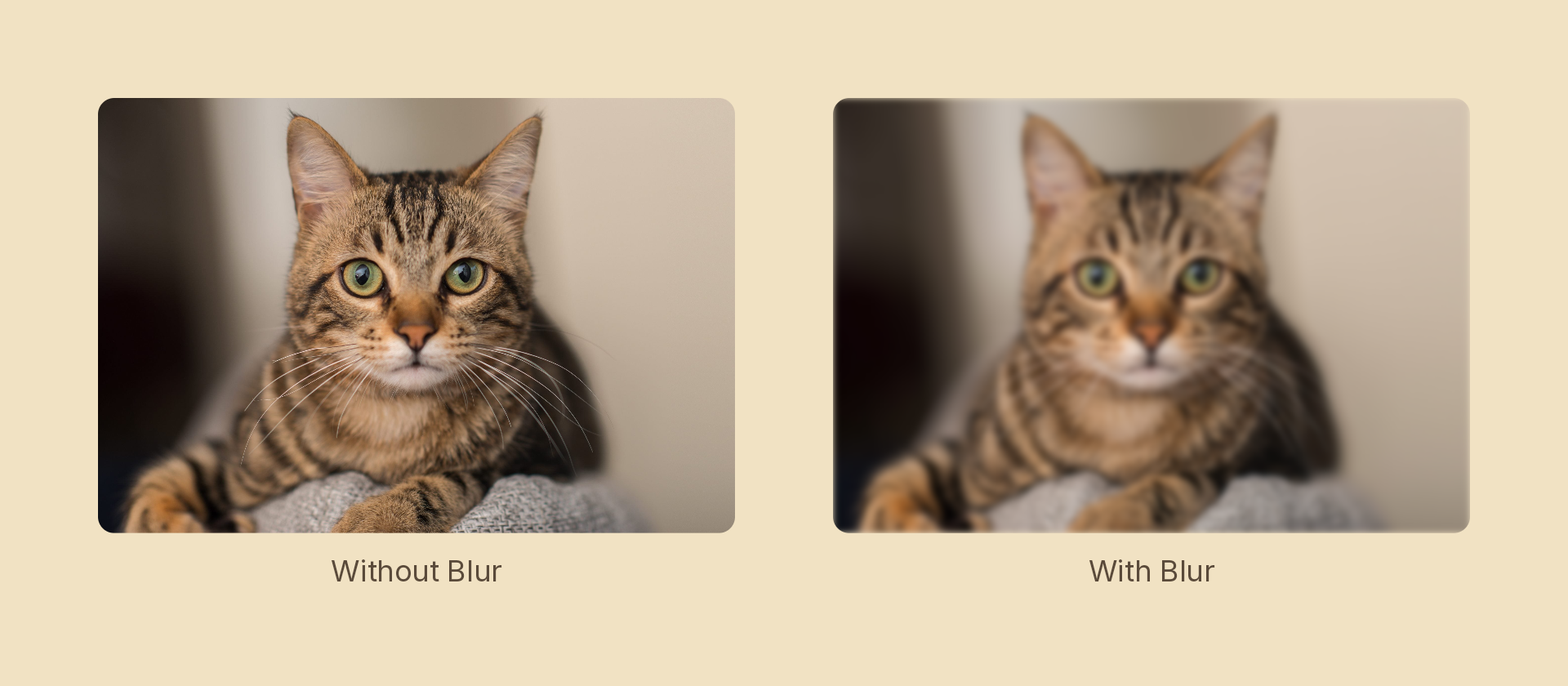
An effect is a post-process filter. The node draws itself normally, then the effect runs over the result. Every node takes an effects prop, so any of them can be blurred, tinted, pixelated or warped without changing how it is built.
import { Effects, Rect } from 'motion-script';

<Rect width={400} height={240} fill="royalblue" effects={Effects.blur(8)} />
Building a chain
Effects is a builder. Every method appends to a chain and returns a new one, so effects compose by chaining:
Effects.grayscale(0.8).blur(4).vignette(0.5)
They apply in the order written. Grayscale first, then blur over that result, then a vignette over the whole thing. Reordering changes the picture: blurring a posterized image is not the same as posterizing a blurred one.
FX is a shorter alias for the same object, which reads better at a call site:
import { FX } from 'motion-script';

<Image src="./photo.jpg" effects={FX.duotone().grain(0.2)} />
An array works too, and is the way to mix a chain with extra effects:
<Image src="./photo.jpg" effects={[vhs(0.6), FX.grain(0.1)]} />
The scalar shorthand
Most effects take a single number as shorthand for their main parameter:
Effects.blur(8)              // same as Effects.blur({ radius: 8 })
Effects.grayscale(0.5)       // same as Effects.grayscale({ amount: 0.5 })
Effects.pixelate(12)         // same as Effects.pixelate({ size: 12 })
Pass the object form when you need the other parameters. Each effect's page lists which one the scalar maps to.
Effects cover children too
An effect applies to the node and everything inside it, because it runs on the node's finished drawing.
<Rect flow="vertical" gap={16} padding={32} fill="#1e293b" effects={Effects.blur(8)}>
  <Rect width={80} height={80} fill="royalblue" />
  <Text text="Motion Script" fontSize={40} fill="white" />
</Rect>
The card, the square and the text all blur together as one image. To blur only part of it, move the effect down to the child that should carry it.
Foreground and backdrop
Many effects take a mode, and it changes what they read.
| Mode | Reads | Use for |
|---|---|---|
'foreground' (default) | The node's own content | Blurring a photo, tinting a card |
'backdrop' | Whatever is already painted beneath the node, clipped to the node's shape | Frosted glass, a smoked panel, a lens over a scene |
// A frosted panel: the content behind it blurs, the panel itself stays crisp
<Rect
  width="fill"
  height={160}
  fill="white/10"
  cornerRadius={24}
  effects={Effects.blur({ radius: 40, mode: 'backdrop' })}
/>
Background blur is the dedicated version of this, and progressive blur in backdrop mode is the same idea with a falloff instead of a hard edge.
Animating
effects is an ordinary animatable prop, so .to() drives it:
const card = createRef<Rect>();

stage.add(<Rect ref={card} fill="#1e293b" effects={Effects.blur(20)} />);

yield* card().to({ effects: Effects.blur(0) }, 1, easeOut('quad'));
Two rules decide what happens between two chains:
- Chains are matched position by position. Slot 1 tweens against slot 1, slot 2 against slot 2. When one chain is longer, the extra effects are carried through unchanged rather than fading in.
- Matching types interpolate, differing types swap at the midpoint.
blur(0)toblur(20)is a smooth ramp.blur(20)topixelate(12)is a hard cut halfway through.
So write both ends of an animation with the same effects in the same order, and vary only their numbers:
// Interpolates cleanly
Effects.grayscale(0).blur(0)   ->   Effects.grayscale(1).blur(12)

// Cuts at the midpoint, because slot 2 changes type
Effects.grayscale(0).blur(0)   ->   Effects.grayscale(1).pixelate(12)
Non-numeric parameters, such as a blend mode or an image path, snap at the midpoint for the same reason.
Effects on a drawing
The Graphics API has its own effects() call for filtering part of a drawn figure rather than a whole node. It takes exactly the same values. See Transforms and effects.
Cost
An effect forces the node onto its own layer, which is not free. A few things worth knowing:
- One chain of five effects is cheaper than five nested nodes with one effect each, since it is one layer rather than five.
'backdrop'mode is more expensive than'foreground', because it has to snapshot what is beneath the node.- Blur cost scales with radius. A large radius over a full-frame node is the usual reason a scene stops previewing smoothly.
- Effects whose parameters never change still re-run every frame. There is no caching of a static result.
Where to go next
- Implementations has a page per effect, with its parameters and a rendered example.
- Recipes has composed looks such as
riso,vhs,crtandgameboy, written as plain functions you copy into your own project.