Radial Blur
Averages the source along a path that radiates from ('zoom') or circles ('spin') a center point. The center stays sharp and the smear grows with distance, which is what makes it read as speed rather than as softness.
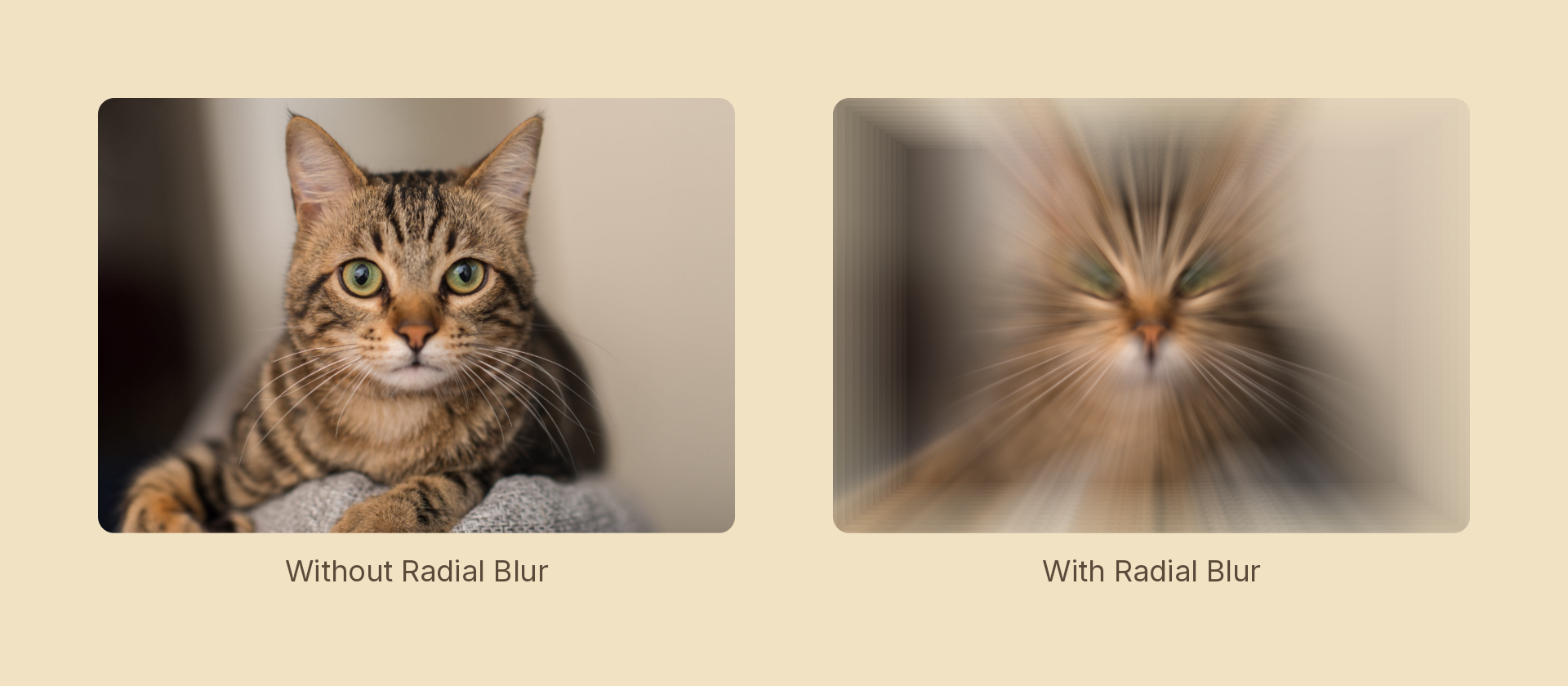
Usage
import { Effects } from 'motion-script';

// Default: a centred zoom rush
<Image src={'./photo.jpg'} effects={Effects.radialBlur()} />

// Scalar shorthand sets the amount
<Image src={'./photo.jpg'} effects={Effects.radialBlur(0.8)} />

// Rotational streak
<Image src={'./photo.jpg'} effects={Effects.radialBlur({ amount: 0.6, style: 'spin' })} />

// Off-centre, higher quality
<Image src={'./photo.jpg'} effects={Effects.radialBlur({ amount: 0.4, center: { x: 0.3, y: 0.7 }, samples: 32 })} />
Props
| Prop | Type | Default | Description |
|---|---|---|---|
type | 'radialBlur' | – | Effect identifier |
amount | number | 0.5 | Smear length. 0 is off; 1 is a full-radius rush, or a quarter turn for 'spin' |
style | 'zoom' | 'spin' | 'zoom' | Radial rush or rotational streak |
center | Vector2 | { x: 0.5, y: 0.5 } | Blur center in 0–1 layer coordinates |
samples | number | 16 | Taps averaged per pixel, clamped to 2–32. Higher is smoother and slower |
mode | 'foreground' | 'backdrop' | 'foreground' | 'backdrop' blurs the content beneath the node |
Raise samples when a large amount starts showing individual ghosted copies instead of a continuous streak — the tap count has to keep up with the smear length.
Animating
amount and center interpolate; style and samples snap at the midpoint.
import { createScene, createRef, Text, Effects, easeOut } from 'motion-script';

export default createScene(function* (stage) {
  const title = createRef<Text>();
  stage.add(<Text ref={title} text={'LAUNCH'} fontSize={96} effects={Effects.radialBlur(0.8)} />);

  // Rush in and settle.
  yield* title().to({ effects: Effects.radialBlur(0) }, 0.8, easeOut('expo'));
});
Stacking with other effects
// Warp speed
<Rect effects={Effects.radialBlur({ amount: 0.7, samples: 32 }).bloom(1.5)} />
Each tap count compiles its own GPU program, so a samples value that changes every frame is wasteful — animate amount and leave samples fixed.