Streak
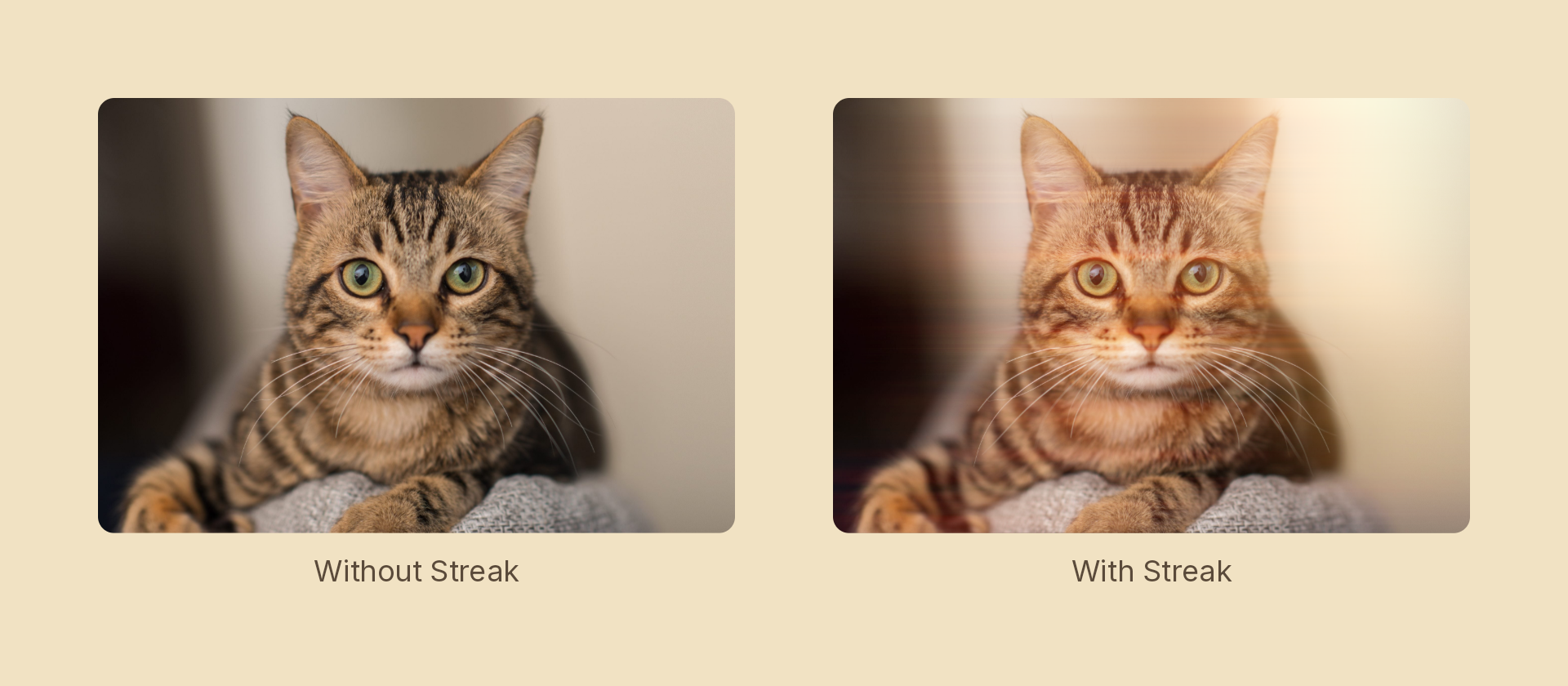
An anamorphic glare: a bright pass smeared along one axis and screened back on. Where bloom spreads light in every direction, this spreads it in one.
Usage
import { Effects } from 'motion-script';

// Default: a horizontal glare off anything bright
<Text text={'GLARE'} effects={Effects.streak()} />

// Scalar shorthand sets the intensity
<Text text={'GLARE'} effects={Effects.streak(2.5)} />

// A long, tight streak at an angle
<Text text={'GLARE'} effects={Effects.streak({ intensity: 2, length: 300, angle: 20, threshold: 0.5 })} />
Props
| Prop | Type | Default | Description |
|---|---|---|---|
type | 'streak' | – | Effect identifier |
intensity | number | 1 | Additive multiplier for the streak pass. 0 is off |
threshold | number | 0.7 | 0–1 luminance cutoff — only brighter pixels streak |
length | number | 120 | Smear length in pixels |
angle | number | 0 | Smear axis in degrees. 0 = horizontal |
mode | 'foreground' | 'backdrop' | 'foreground' | 'backdrop' glares the content beneath the node |
Lower threshold to make more of the image glare; raise it to restrict the effect to genuine highlights. The streak is screened onto the source, so it only ever brightens and caps at white.
Cost
Cheaper than it looks. This composes as a plain ImageFilter — a colour-matrix bright pass, an anisotropic blur, a screen blend — so it never opens a shader scope, unlike godRays.
The angle is applied by rotating into the blur and back out again, because Skia's blur sigmas are axis-aligned and a rotated blur isn't otherwise expressible.
Animating
import { createScene, createRef, Text, Effects, easeOut } from 'motion-script';

export default createScene(function* (stage) {
  const title = createRef<Text>();
  stage.add(<Text ref={title} text={'GLARE'} fontSize={64} effects={Effects.streak(0)} />);

  yield* title().to({ effects: Effects.streak({ intensity: 2.4, length: 220 }) }, 0.8, easeOut('quad'));
});
See also
bloom— the same idea spread evenly in all directions.- the
anamorphicGlarerecipe — this plus a little bloom to seat it.