Displace
Resamples the content at a position pushed around by a second image, rather than changing its colours. This is the general warp — wave and twirl are the two procedural cases worth spelling out, and everything else (refraction, heat haze, water, cloth, dissolve) is this effect plus the right map.
In mode: 'backdrop' it becomes refraction: the displacement runs on what is painted beneath the node and is clipped to the node's silhouette, so the scene bends as it passes through the shape while the shape's own edges stay sharp.
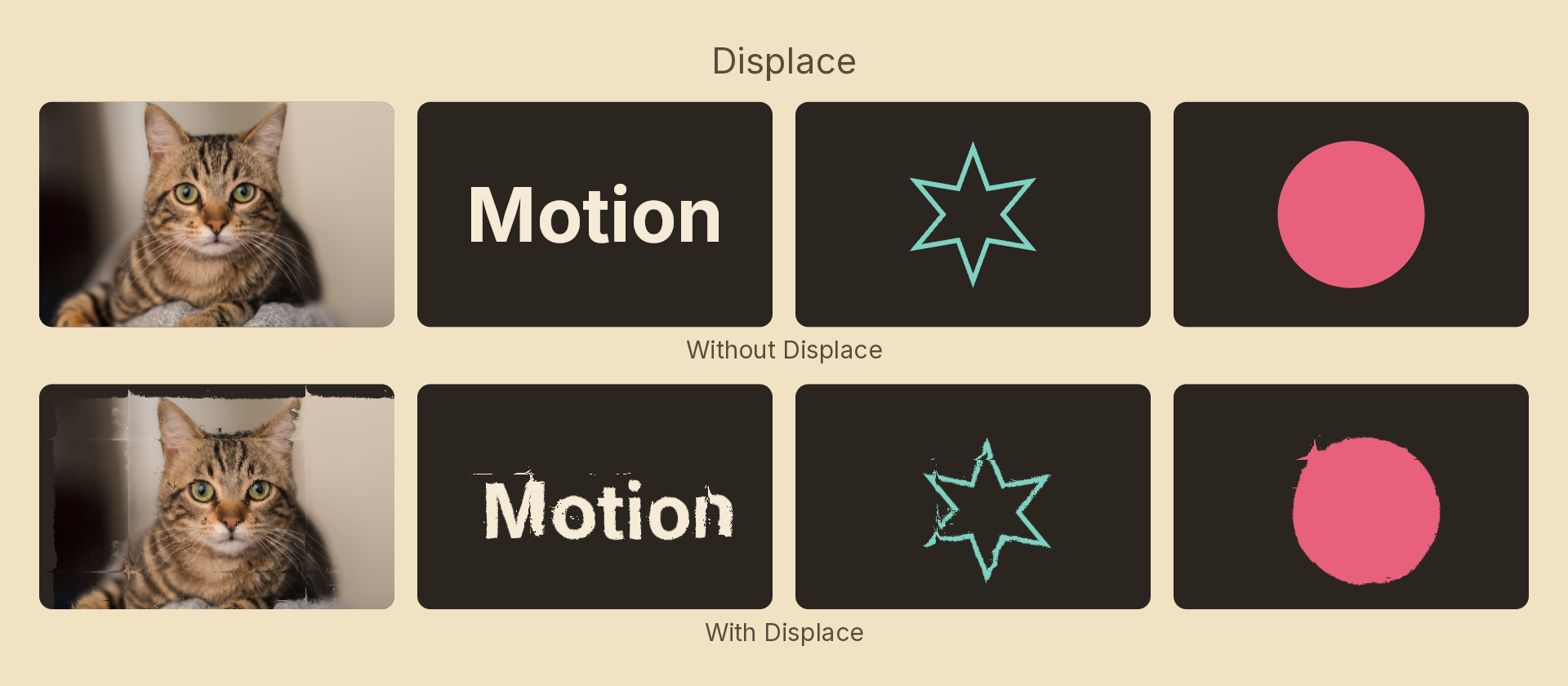
Usage
import { Effects } from 'motion-script';

// Warp by a map's red/green channels — the normal-map convention
<Image src="photo.jpg" effects={Effects.displace({ src: 'normals.png', amount: 24 })} />

// A grayscale bump map: one value pushes both axes
<Text text="LIQUID" effects={Effects.displace({ src: 'noise.png', amount: 30, channel: 'luminance' })} />

// Refraction — the scene behind bends through the shape
<Rect effects={Effects.displace({ src: 'normals.png', amount: 18, mode: 'backdrop' })} />

// Vertical-only warp
<Rect effects={Effects.displace({ src: 'map.png', amount: { x: 0, y: 40 } })} />
Props
| Prop | Type | Default | Description |
|---|---|---|---|
type | 'displace' | – | Effect identifier |
src | string | – | Map image path, resolved like an image fill's src |
amount | number | { x, y } | 20 | Displacement in px at full deflection. A number applies to both axes |
channel | 'rg' | 'luminance' | 'alpha' | 'rg' | Which part of the map drives the displacement |
midpoint | number | 0.5 | The map value meaning "don't move" |
scale | number | 1 | 1 covers the node once; 2 tiles it at half size |
angle | number | 0 | Map rotation in degrees |
mode | 'foreground' | 'backdrop' | 'foreground' | Displace the node's own content, or the backdrop beneath it |
Choosing a channel
'rg'— red moves pixels horizontally, green vertically. The convention every normal and flow map is authored to, and the only one that can push in two directions independently.'luminance'— one value drives both axes, which is what a grayscale bump map means: the brighter the pixel, the further it is pushed alongamount.'alpha'— the map's alpha, for displacing from a cut-out shape.
midpoint
Signed data packed into unsigned bytes centres on 0.5 — that is what a normal map assumes, and why it is the default. A mask-style map that should only ever push one way wants 0 instead.
A fully transparent map pixel contributes no displacement, so an unpainted region of the map leaves the content alone.
Animating
src is discrete and snaps at the midpoint of a tween rather than cross-fading, which would need two maps bound at once. Animate amount, scale or angle instead.
import { createScene, Rect, Effects, easeOut } from 'motion-script';

export default createScene(function* (stage) {
  const card = stage.add(<Rect width={600} height={600} fill="#4f46e5" />);

  yield* card.to({
    effects: Effects.displace({ src: 'noise.png', amount: 40, channel: 'luminance' }),
  }, 1.2, easeOut('quad'));
});
Rotating the map is the cheapest way to make a displacement move without loading anything per frame:
yield* card.to({ effects: Effects.displace({ src: 'noise.png', amount: 20, angle: 360 }) }, 4);
Stacking with other effects
// Glass: refract the backdrop, then soften it
<Rect effects={Effects
  .displace({ src: 'normals.png', amount: 20, mode: 'backdrop' })
  .blur({ radius: 6, mode: 'backdrop' })} />