Halftone
Reproduces tone as the area of a mark on a rotated grid, the way offset printing does — the newsprint / comic-book look.
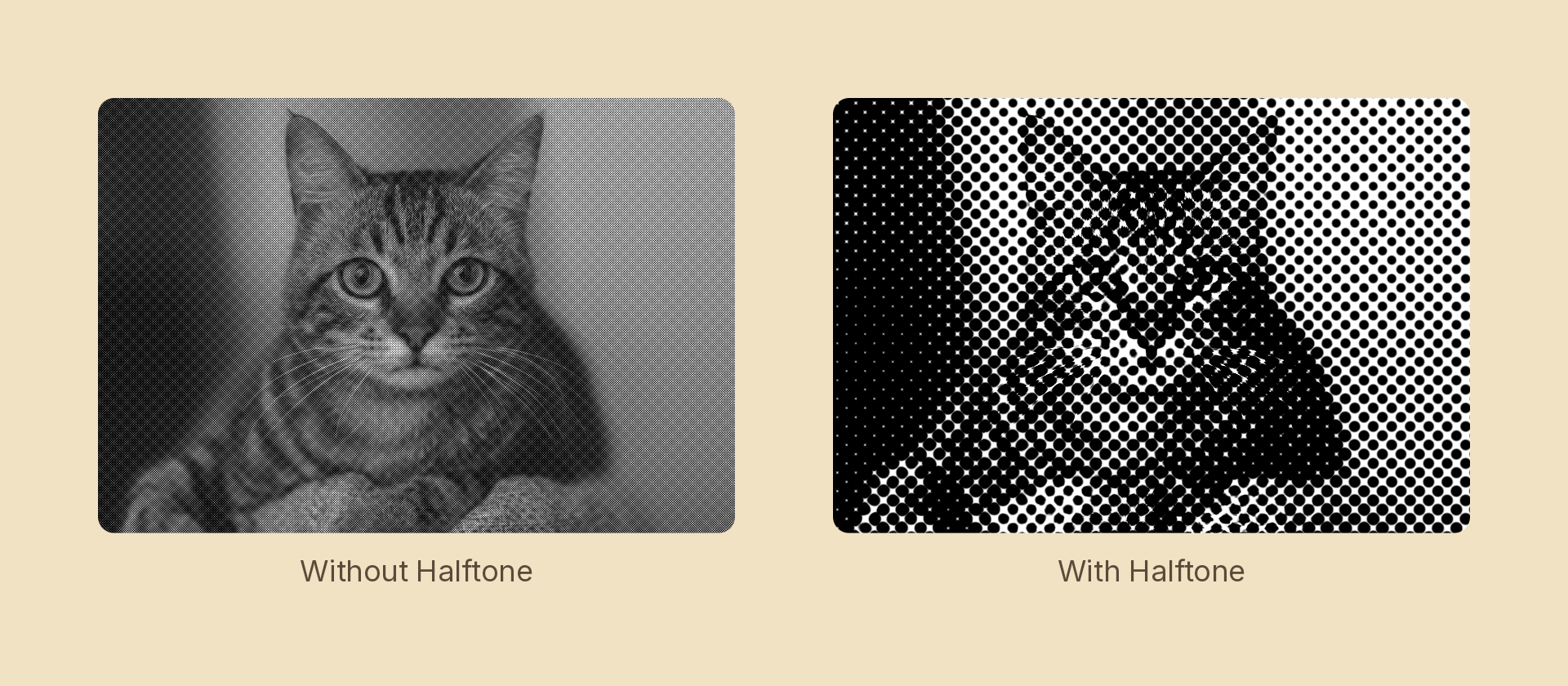
Usage
import { Effects } from 'motion-script';

// Default: an 8px dot screen at 45°
<Image src={'./photo.jpg'} effects={Effects.halftone()} />

// Scalar shorthand sets the cell pitch
<Image src={'./photo.jpg'} effects={Effects.halftone(16)} />

// A line screen
<Image src={'./photo.jpg'} effects={Effects.halftone({ size: 10, shape: 'line', angle: 15 })} />

// Four-colour process separation
<Image src={'./photo.jpg'} effects={Effects.halftone({ size: 8, separation: 'cmyk' })} />
Props
| Prop | Type | Default | Description |
|---|---|---|---|
type | 'halftone' | – | Effect identifier |
size | number | 8 | Cell pitch in pixels — the distance between dot centers |
angle | number | 45 | Screen rotation in degrees. 45° is the traditional dot angle |
shape | 'dot' | 'line' | 'cross' | 'dot' | Mark drawn in each cell |
separation | 'mono' | 'rgb' | 'cmyk' | 'mono' | How many plates to screen into — see below |
mode | 'foreground' | 'backdrop' | 'foreground' | 'backdrop' screens the content beneath the node |
Dot radius follows √(1 − tone) rather than 1 − tone: a disc's area grows with the square of its radius, so the square root is what makes coverage linear in darkness. It is the difference between a screen that holds its midtones and one that plugs up.
Separation
| Mode | What it does |
|---|---|
'mono' | One black screen over luminance. The newsprint look |
'cmyk' | Four plates at the process angles (C 15°, M 75°, Y 0°, K 45°). The one that reads as printed |
'rgb' | One screen per RGB channel |
Reach for 'cmyk' on any colour print look. Real process printing puts the shared darkness on a K plate, so a neutral tone prints one black dot and almost no colour. 'rgb' has no such plate, so every grey prints three overlapping mid-dots — on a photograph with any neutral area at all, that reads as chromatic noise rather than as print. Measured on a neutral region of the same photo, switching from 'rgb' to 'cmyk' drops chroma noise by about 65%.
Those relative angles are what produce a rosette instead of a moiré.
The grid is anchored to the node's center, so the screen travels with the node instead of the node sliding underneath it.
Animating
import { createScene, createRef, Image, Effects, easeInOut } from 'motion-script';

export default createScene(function* (stage) {
  const photo = createRef<Image>();
  stage.add(<Image ref={photo} src={'./photo.jpg'} effects={Effects.halftone(2)} />);

  // Resolve from continuous tone into a coarse screen.
  yield* photo().to({ effects: Effects.halftone(20) }, 1.2, easeInOut('quad'));
});
Rotating angle continuously produces a strong moiré against the pixel grid — usually a distraction, occasionally the effect you want.
Choosing a size
Tone is resolved once per cell, so the cell pitch is the screen's resolution: detail finer than size is averaged away, exactly as ink on paper averages it away. If a screen is dropping something you wanted, the fix is a smaller size, not a different shape.
A static periodic screen can still beat against the display's own pixel grid, and the worst case is a pitch that lands exactly on an integer number of device pixels — size: 8 at a device pixel ratio of 2 puts every cell on the same phase. Nudging it off the grid (8.4 rather than 8) breaks the resonance at no visual cost. separation: 'cmyk' avoids the problem differently: its four plates sit at 15° / 75° / 0° / 45°, and those relative angles are what turn interference into a rosette.
Stacking with other effects
// Newsprint
<Image src={'./photo.jpg'} effects={Effects.halftone({ size: 6 }).duotone({ shadows: '#1a1a1a', highlights: '#f2ece0' })} />
A cell pitch below one device pixel has no mark to draw, so the effect is skipped entirely.