Bit Crush
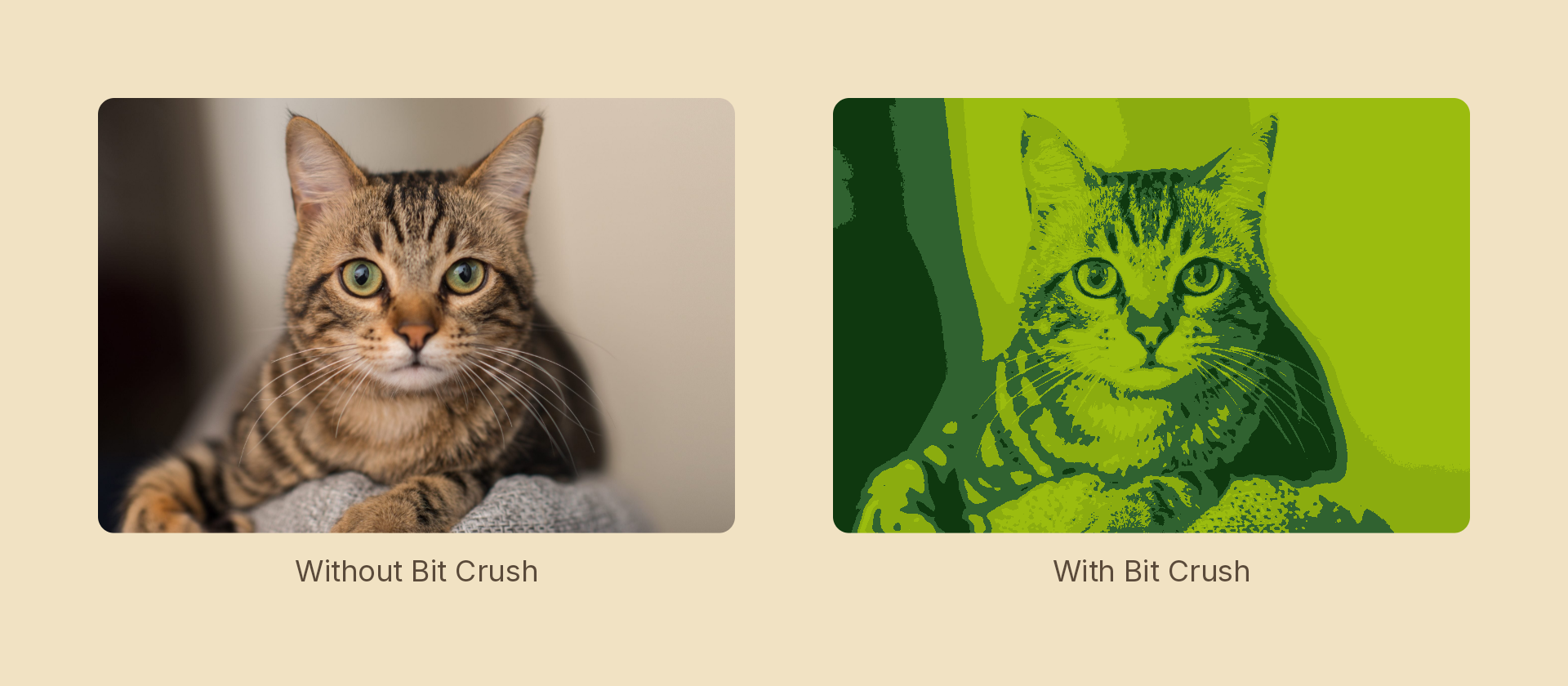
Reduces colour depth — either to a number of bits per channel, or by snapping every pixel to its nearest entry in a fixed hardware palette.
Usage
import { Effects } from 'motion-script';

// Default: 3 bits per channel
<Image src={'./photo.jpg'} effects={Effects.bitCrush()} />

// Scalar shorthand sets the bit depth
<Image src={'./photo.jpg'} effects={Effects.bitCrush(1)} />

// Game Boy
<Image src={'./photo.jpg'} effects={Effects.bitCrush({ palette: 'gameboy' })} />

// Half-strength CGA
<Image src={'./photo.jpg'} effects={Effects.bitCrush({ palette: 'cga', amount: 0.5 })} />
Props
| Prop | Type | Default | Description |
|---|---|---|---|
type | 'bitCrush' | – | Effect identifier |
bits | number | 3 | Bits per channel when palette is 'none' (1–8) |
palette | 'none' | 'gameboy' | 'cga' | 'nes' | 'none' | Fixed palette to snap to |
amount | number | 1 | 0–1 blend between the original colour and the crushed one |
mode | 'foreground' | 'backdrop' | 'foreground' | 'backdrop' crushes the content beneath the node |
The palettes
| Palette | Colours |
|---|---|
'gameboy' | The DMG's four greens |
'cga' | IBM CGA palette 1, high intensity — black, cyan, magenta, white |
'nes' | A representative 16-colour cut of the NES master palette |
These are the actual historical colours, not evenly-spaced approximations. That is the whole point of a palette over posterize: the surviving colours are uneven and specific, which is why the result looks like a Game Boy rather than merely low-colour.
Animating
bits and amount interpolate; palette snaps at the midpoint — a halfway palette is meaningless. To fade into a palette, hold the palette fixed and ramp amount:
import { createScene, createRef, Image, Effects, easeInOut } from 'motion-script';

export default createScene(function* (stage) {
  const photo = createRef<Image>();
  stage.add(<Image ref={photo} src={'./photo.jpg'} effects={Effects.bitCrush({ palette: 'gameboy', amount: 0 })} />);

  yield* photo().to({ effects: Effects.bitCrush({ palette: 'gameboy', amount: 1 }) }, 1.2, easeInOut('quad'));
});
Stacking with other effects
// Handheld: pixelate to the panel's resolution, dither, then cut to the palette
<Image
  src={'./photo.jpg'}
  effects={Effects.pixelate(160).dither({ levels: 4, matrix: 4 }).bitCrush({ palette: 'gameboy' })}
/>
Pairing with dither is the classic move: the dither carries the quantization error as a pattern, so gradients survive a palette that has no room for them.
See also
posterizekeeps an evenly-spaced grid per channel and keeps colour.ditherquantizes too, but trades the error for a threshold pattern.