ASCII
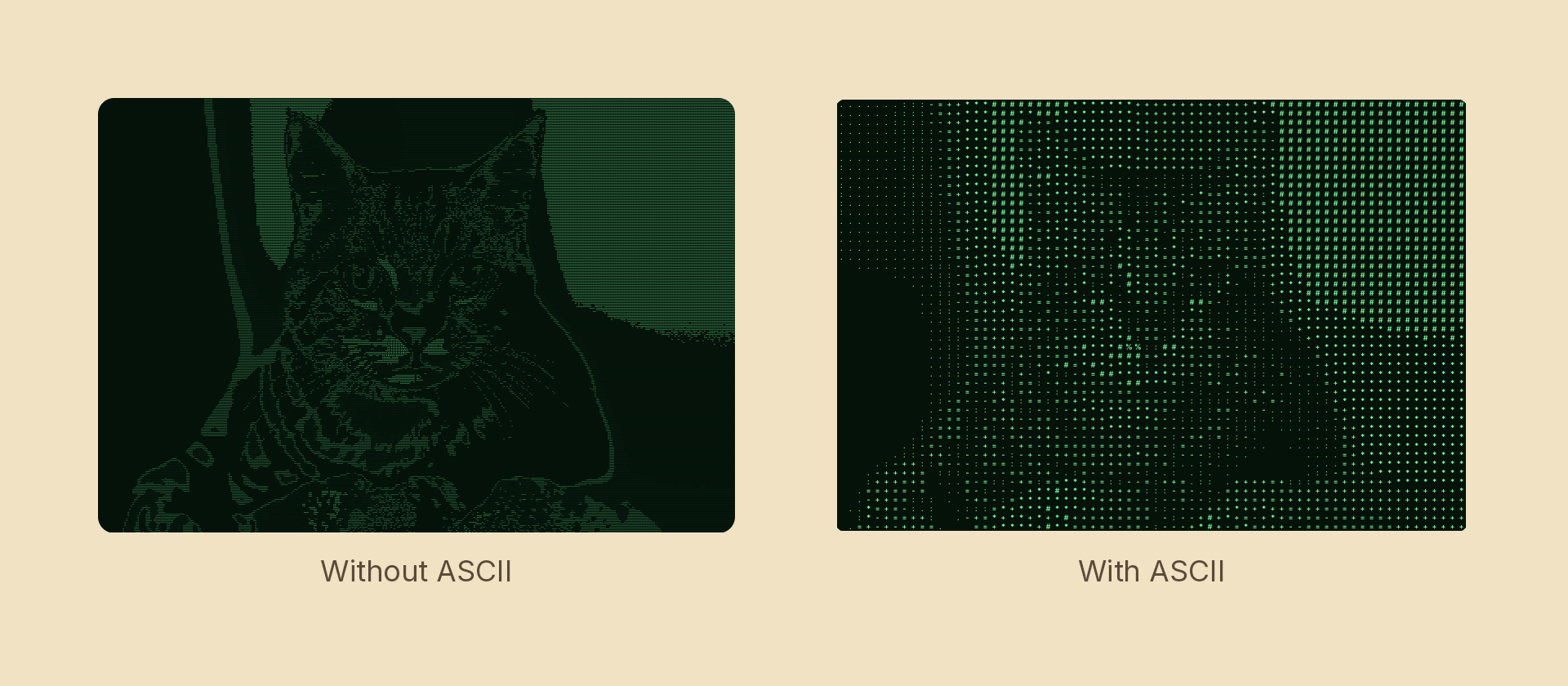
Divides the content into a grid of cells and replaces each cell's tone with the glyph carrying a matching amount of ink.
Usage
import { Effects } from 'motion-script';

// Default: a 12px grid, white on black, classic ASCII ramp
<Image src={'./photo.jpg'} effects={Effects.ascii()} />

// Scalar shorthand sets the cell size
<Image src={'./photo.jpg'} effects={Effects.ascii(20)} />

// Terminal green
<Image src={'./photo.jpg'} effects={Effects.ascii({ size: 10, ink: '#7dff9b', background: '#04120a' })} />

// Overlay the glyphs on whatever is behind the node
<Image src={'./photo.jpg'} effects={Effects.ascii({ background: 'transparent' })} />

// A custom ramp, least ink first
<Image src={'./photo.jpg'} effects={Effects.ascii({ charset: ' .oO@' })} />
Props
| Prop | Type | Default | Description |
|---|---|---|---|
type | 'ascii' | – | Effect identifier |
size | number | 12 | Cell size in pixels — the width of one character |
charset | AsciiCharset | string | 'standard' | A named ramp, or a custom string |
fontFamily | string | 'monospace' | Family the glyphs are baked in |
ink | Color | 'white' | Glyph colour when colored is false |
background | Color | 'black' | Colour behind the glyphs |
colored | boolean | false | Tint each glyph with its own cell's colour |
mode | 'foreground' | 'backdrop' | 'foreground' | 'backdrop' renders what's beneath the node as ASCII |
Charsets
| Name | Ramp | Notes |
|---|---|---|
'standard' | ' .:-=+*#%@' | Plain ASCII, so it renders in any Latin font. The safe default |
'blocks' | ' ░▒▓█' | The most legible at small cells — each step is a true fraction of coverage |
'braille' | ' ⠄⣀⣄⣤⣶⣷⣿' | The finest ramp of the set |
'binary' | '01' | A two-tone cut rather than a ramp |
'hex' | '0123456789ABCDEF' | The hex-dump look. Its ramp is nominal — a glyph's ink doesn't track its digit — so expect texture rather than tone |
'blocks' and 'braille' need a font that covers those Unicode ranges. Most Latin text fonts don't, and the effect warns to the console when glyphs are missing rather than drawing tofu — the missing steps come out empty, so the ramp quietly loses its dark end. Register a font that has them, or stay on 'standard'.
Likewise fontFamily: 'monospace' is only meaningful if you registered a family by that name; otherwise the first registered family is used. A monospace face is worth registering, since a proportional one makes cells with wide glyphs read heavier than their tone deserves.
Ramp direction
Ramps are written least ink first, and that is about the result rather than the glyph. On the default white-on-black, an empty cell is the darkest thing the effect can draw. Swap to dark ink on a light background — the paper look — and the same ramp is indexed back to front automatically, so a custom ramp only ever has to be written once:
// Both keep dark parts of the photo dark.
<Image src={'./photo.jpg'} effects={Effects.ascii({ ink: 'white', background: 'black' })} />
<Image src={'./photo.jpg'} effects={Effects.ascii({ ink: 'black', background: 'white' })} />
Animating
size and the colours interpolate. charset, fontFamily and colored snap at the midpoint — each changes what gets baked, and there is no meaningful halfway charset.
import { createScene, createRef, Image, Effects, easeInOut } from 'motion-script';

export default createScene(function* (stage) {
  const photo = createRef<Image>();
  stage.add(<Image ref={photo} src={'./photo.jpg'} effects={Effects.ascii(3)} />);

  // Resolve from near-photographic into a coarse glyph grid.
  yield* photo().to({ effects: Effects.ascii(16) }, 1.2, easeInOut('quad'));
});
There is no neutral setting: a cell under ~2 device px is skipped entirely, which is the closest ascii has to "off". To fade it in, animate the cell up from a small value as above.
How it works
The charset is baked once into a one-row texture — every glyph white-on-black in its own square cell — and the shader reproduces a glyph by sampling one cell of it. That bake is cached for the life of the render context, keyed by charset, font, weight and cell size, so changing size mid-animation is cheap but changing charset every frame is not.
Tone is sampled at each cell centre rather than averaged over the cell: it is what a terminal does when deciding what a character position contains, and averaging would blur the structure the grid exists to expose.
This is the first effect built on the renderer's resource hook — see EffectResources in @motion-script/web if you are writing a custom handler that needs to bake its own texture.