Texture
Overlays an image onto the content, blended — paper grain for a print, canvas weave for a painting, fabric for a textile.
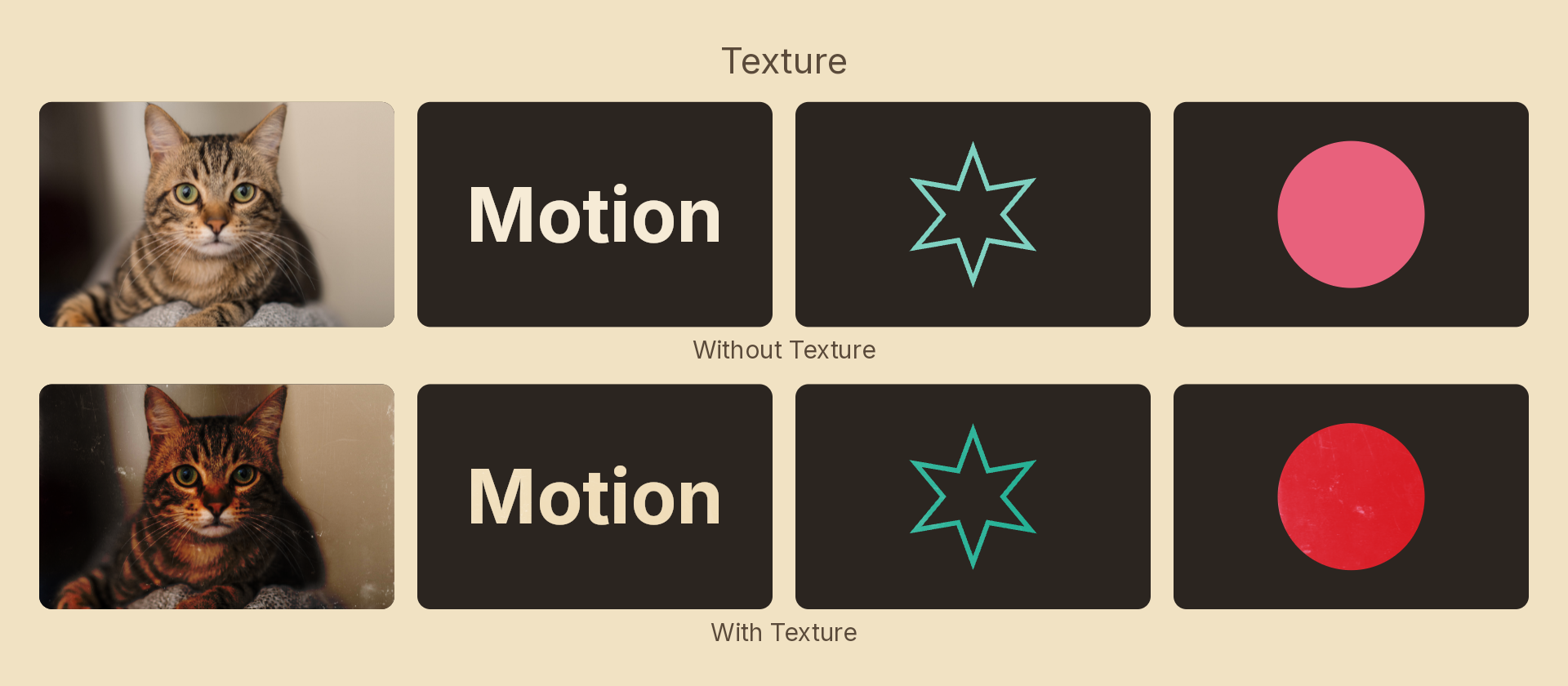
The image is yours. Nothing is bundled: drop a file in your project's public/ folder and name it the way an image fill would. That is deliberate — a shipped texture library would mean shipping someone else's licence.
Usage
import { Effects } from 'motion-script';

// Multiply a paper grain over the content
<Rect effects={Effects.texture({ src: './paper.png' })} />

// Tile it four times, softened
<Rect effects={Effects.texture({ src: './canvas.png', scale: 4, amount: 0.6 })} />

// A different blend for a lighter surface
<Rect effects={Effects.texture({ src: './linen.jpg', blend: 'soft-light' })} />
The demo above uses a scan of a scratched, dusty surface at scale: 1 with blend: 'overlay'. A real surface scan, with its scratches, blotches and uneven wear, is what sells the effect. A flat pattern such as a halftone grid reads as an overlay rather than as a material.
Props
| Prop | Type | Default | Description |
|---|---|---|---|
type | 'texture' | – | Effect identifier |
src | string | – | Image path, resolved like an image fill's src. Required |
amount | number | 1 | 0–1 blend strength. 0 is off |
blend | 'multiply' | 'overlay' | 'screen' | 'soft-light' | 'multiply' | How it composites |
scale | number | 1 | 1 covers the node once; above that it tiles |
angle | number | 0 | Rotation in degrees |
mode | 'foreground' | 'backdrop' | 'foreground' | 'backdrop' textures the content beneath the node |
multiply is the default because it is what a surface physically does: it removes light where the material is rough and leaves it where the material is smooth. soft-light is the gentlest of the four and the safest on an already-dark image.
Missing images
Two different cases, and they behave differently on purpose:
- A path that doesn't exist fails loudly at build time, with the same error an image fill gives —
Image asset not found: "...". A typo shouldn't silently cost you the effect. - A path that hasn't finished loading makes the effect a no-op for that frame, and it appears as soon as the image lands. That's the normal first-frame race, not an error.
Animating
amount, scale and angle interpolate. src and blend snap at the midpoint — cross-fading two textures would mean binding both at once.
import { createScene, createRef, Rect, Effects, easeInOut } from 'motion-script';

export default createScene(function* (stage) {
  const card = createRef<Rect>();
  stage.add(<Rect ref={card} effects={Effects.texture({ src: './paper.png', amount: 0 })} />);

  yield* card().to({ effects: Effects.texture({ src: './paper.png', amount: 1 }) }, 1, easeInOut('quad'));
});
See also
The paper recipe wraps this with grain and a warm tint. It's the template for the whole material family — the same recipe with a weave, denim or felt image is canvas, denim or felt.