Sharpen
An unsharp mask: subtracts a blurred copy of the content from itself and adds the difference back, exaggerating local contrast at edges.
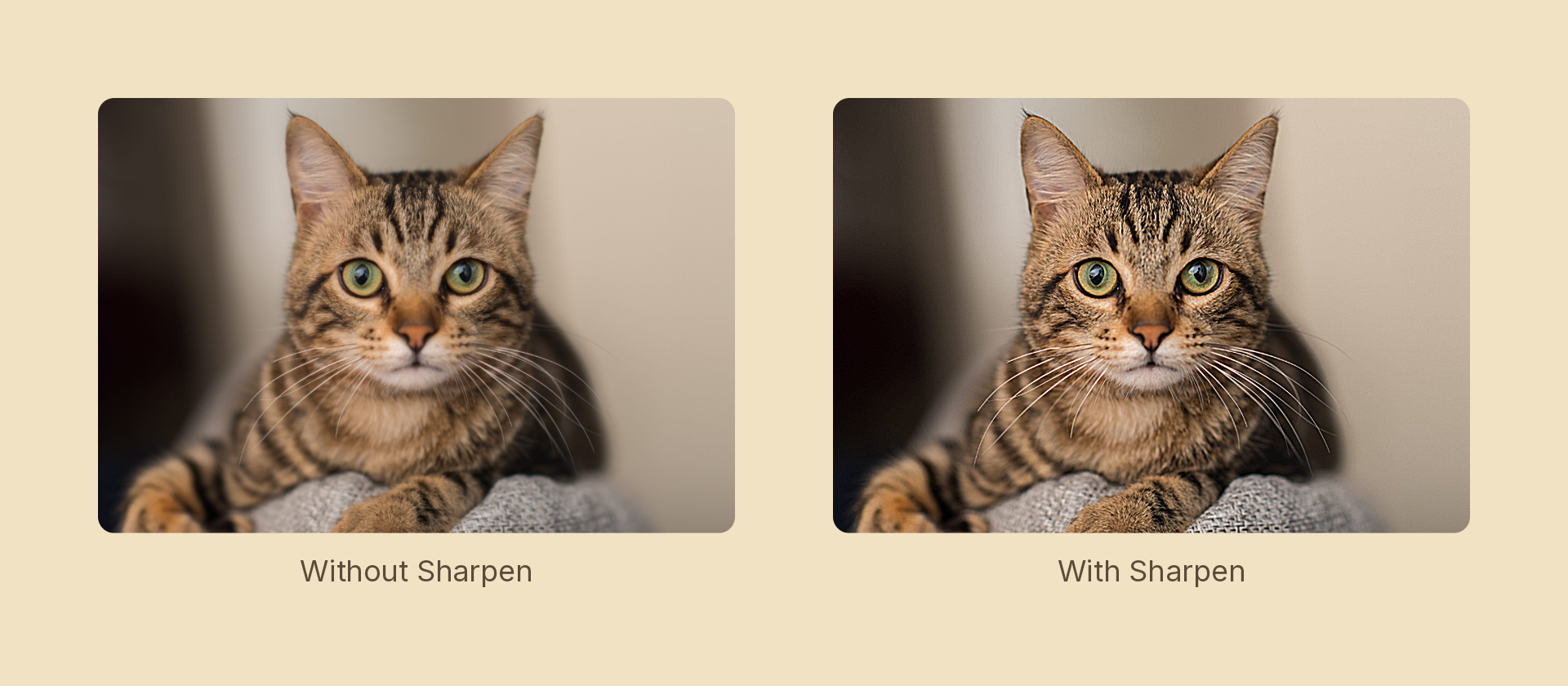
Usage
import { Effects } from 'motion-script';

// Default: a firm 1px sharpen
<Image src={'./photo.jpg'} effects={Effects.sharpen()} />

// Scalar shorthand sets the amount
<Image src={'./photo.jpg'} effects={Effects.sharpen(2)} />

// "Clarity": a wide radius adds punch to broad shapes, not fine texture
<Image src={'./photo.jpg'} effects={Effects.sharpen({ amount: 1.2, radius: 6 })} />
Props
| Prop | Type | Default | Description |
|---|---|---|---|
type | 'sharpen' | – | Effect identifier |
amount | number | 1 | Edge-contrast boost. 0 is off, 1 firm, above 2 haloes |
radius | number | 1 | Radius of the blurred reference, in pixels |
mode | 'foreground' | 'backdrop' | 'foreground' | 'backdrop' sharpens the content beneath the node |
radius sets the scale of detail affected: small crisps fine texture, large adds "clarity" to broad shapes. amount sets how hard. The classic halo artifact appears past roughly 2 — sometimes the point.
Animating
import { createScene, createRef, Image, Effects, easeOut } from 'motion-script';

export default createScene(function* (stage) {
  const photo = createRef<Image>();
  stage.add(<Image ref={photo} src={'./photo.jpg'} effects={Effects.sharpen(0)} />);

  yield* photo().to({ effects: Effects.sharpen({ amount: 3, radius: 3 }) }, 1, easeOut('quad'));
});
Stacking with other effects
// Recover some bite after a blur — a classic before/after transition
<Image src={'./photo.jpg'} effects={Effects.blur(3).sharpen(1.5)} />
Both the source and its blurred reference are un-premultiplied before the difference is taken, so an antialiased edge's alpha ramp doesn't masquerade as a luminance edge and ring every silhouette.