Vintage
Applies a film-look color grade: sepia desaturation blended with a warm or cool tint. Two parameters control how far the grade is pushed (amount) and whether it leans amber or cyan (warmth).
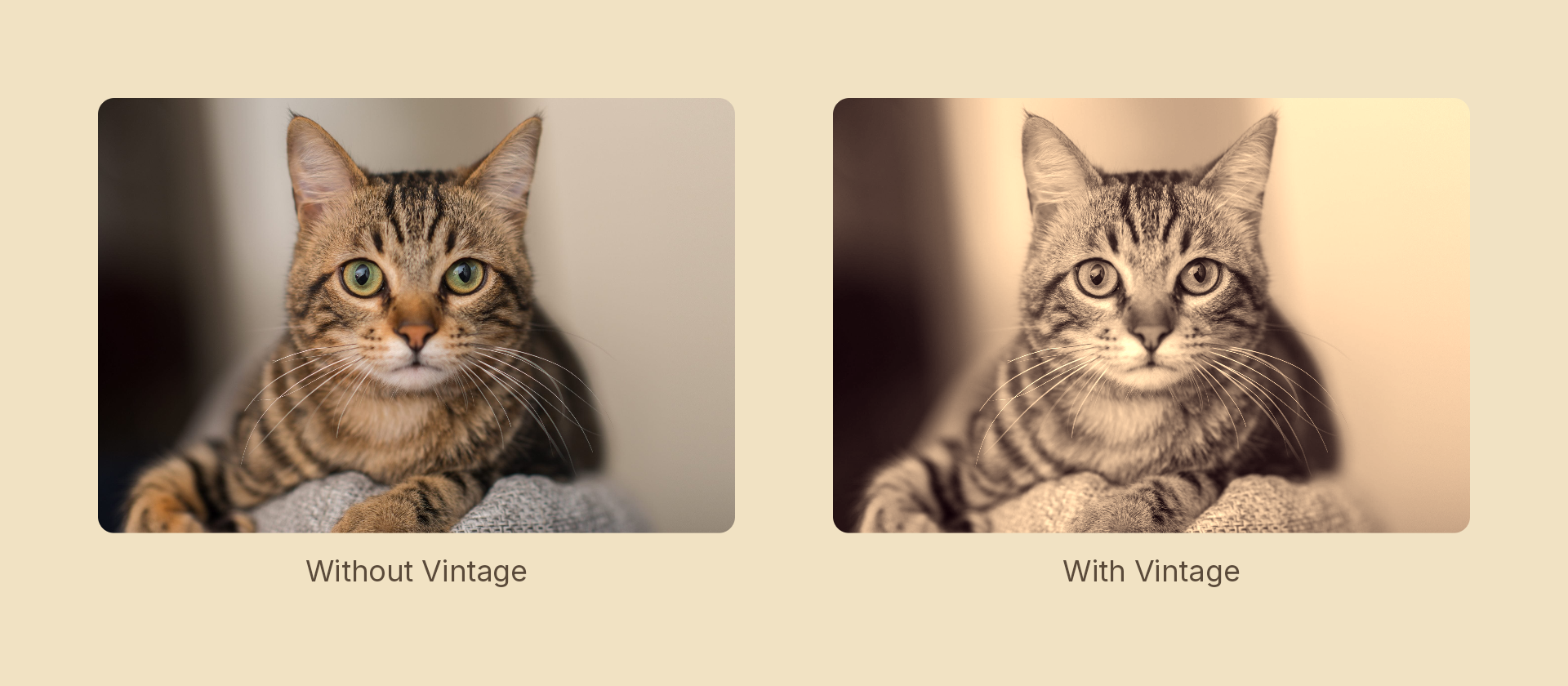
Usage
import { Effects } from '@motion-script/core';

// Full vintage grade with default warmth
<Rect effects={Effects.vintage()} />

// Partial grade, cool tint
<Rect effects={Effects.vintage({ amount: 0.7, warmth: -0.2 })} />

// Raw object
<Rect effects={[{ type: 'vintage', amount: 1, warmth: 0.2 }]} />
Props
The builder takes a single options object — these are its fields, and also the fields of the effect object it produces.
| Prop | Type | Default | Description |
|---|---|---|---|
type | 'vintage' | – | Effect identifier |
amount | number | 1 | Grade strength: 0 = original color, 1 = full sepia + desaturate |
warmth | number | 0.2 | Color temperature: −1 = cool/cyan tint, 0 = neutral, 1 = warm/amber tint |
mode | 'foreground' | 'backdrop' | 'foreground' | 'backdrop' grades the content beneath the node, clipped to its silhouette, leaving the node's own content untouched |
Animating
import { createScene, Rect, Effects, tween, lerpNumber, easeInOut } from '@motion-script/core';

export default createScene(function* (stage) {
  const photo = new Rect({
    width: 600,
    height: 400,
    fill: { type: 'image', src: './photo.jpg', fit: 'fill' },
  });
  photo.set({ effects: Effects.vintage({ amount: 0, warmth: 0 }) });
  stage.add(photo);

  yield* tween(1.5, (t) => {
    photo.set({ effects: Effects.vintage({ amount: lerpNumber(0, 1, easeInOut(t)), warmth: lerpNumber(0, 0.4, easeInOut(t)) }) });
  });
});
Stacking with other effects
// Retro VHS: vintage grade + chromatic aberration
<Rect effects={Effects.vintage({ amount: 0.9, warmth: -0.2 }).chromaticAberration(6, 90)} />

// Warm bloom
<Rect effects={Effects.vintage({ amount: 0.6, warmth: 0.5 }).bloom({ threshold: 0.5, radius: 20, intensity: 1 })} />