Background Blur
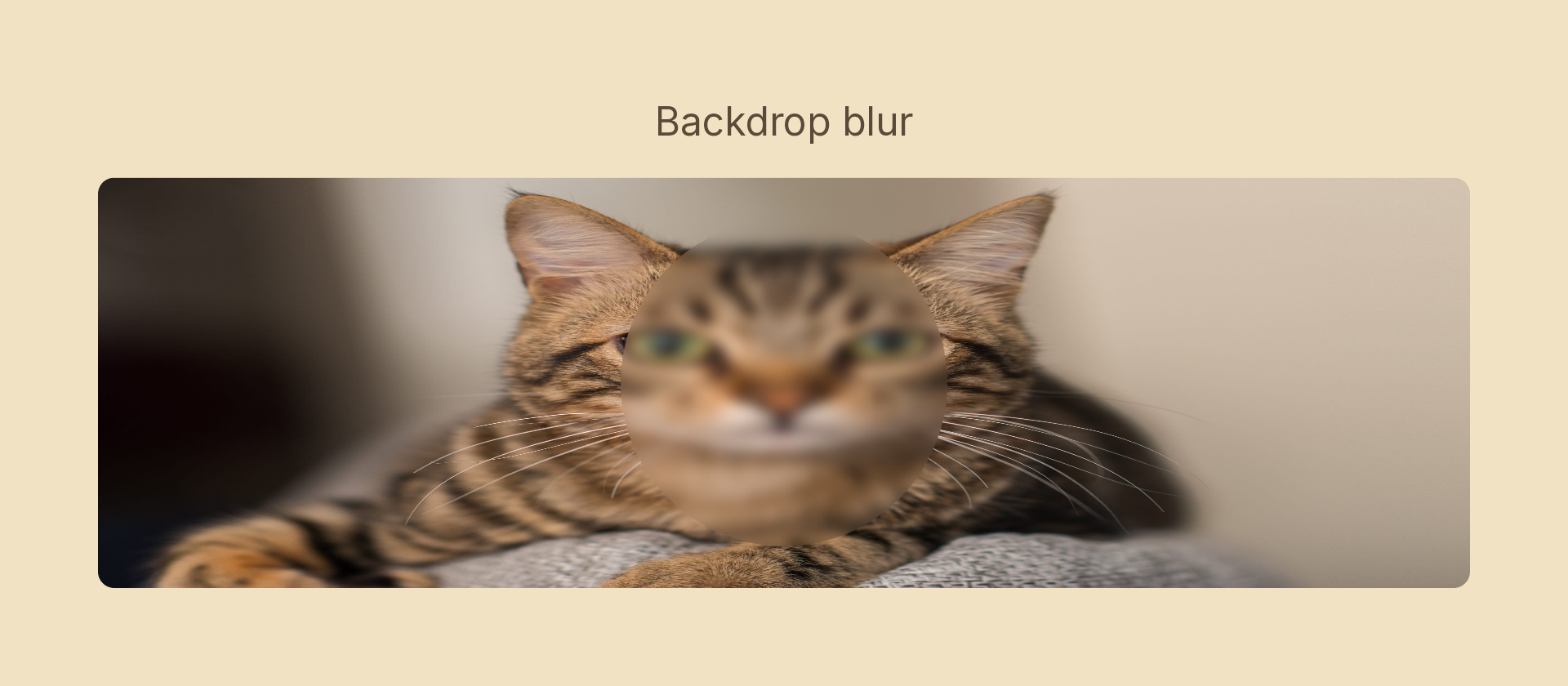
Blurs the content beneath a node rather than the node itself. The node's own edges stay sharp while the backdrop is softened within its silhouette. This is the mode: 'backdrop' variant of Blur, equivalent to Figma's background blur.
Usage
import { Effects } from '@motion-script/core';

// Blur the backdrop behind a frosted-glass card
<Rect
  width={300}
  height={200}
  fill={{ type: 'color', value: 'rgba(255,255,255,0.2)' }}
  effects={Effects.blur({ radius: 16, mode: 'backdrop' })}
/>

// Raw object
<Rect effects={[{ type: 'blur', radius: 16, mode: 'backdrop' }]} />
The node must be layered over other scene content for the effect to be visible: it blurs whatever is painted below it.
Props
| Prop | Type | Default | Description |
|---|---|---|---|
type | 'blur' | – | Effect identifier |
radius | number | – | Blur radius in pixels |
mode | 'backdrop' | – | Must be 'backdrop'; this is what distinguishes background blur from a regular node blur |
Animating
import { createScene, Rect, Effects, tween, lerpNumber, easeInOut } from '@motion-script/core';

export default createScene(function* (stage) {
  const bg = new Rect({
    width: 800,
    height: 600,
    fill: { type: 'image', src: './photo.jpg', fit: 'fill' },
  });
  const card = new Rect({
    width: 400,
    height: 260,
    cornerRadius: 16,
    fill: { type: 'color', value: 'rgba(255,255,255,0.15)' },
  });
  card.set({ effects: Effects.blur({ radius: 0, mode: 'backdrop' }) });
  stage.add(bg, card);

  yield* tween(1.2, (t) => {
    card.set({ effects: Effects.blur({ radius: lerpNumber(0, 20, easeInOut(t)), mode: 'backdrop' }) });
  });
});
Stacking with other effects
Background blur composes with other backdrop effects or regular effects on the same node:
// Frosted glass: background blur + subtle grayscale on the backdrop
<Rect effects={Effects.blur({ radius: 16, mode: 'backdrop' }).grayscale({ amount: 0.2, mode: 'backdrop' })} />