Bloom
Adds a soft glow to bright areas of any node. Pixels above threshold luminance bleed outward via a screen-blend of a blurred bright-pass onto the layer.
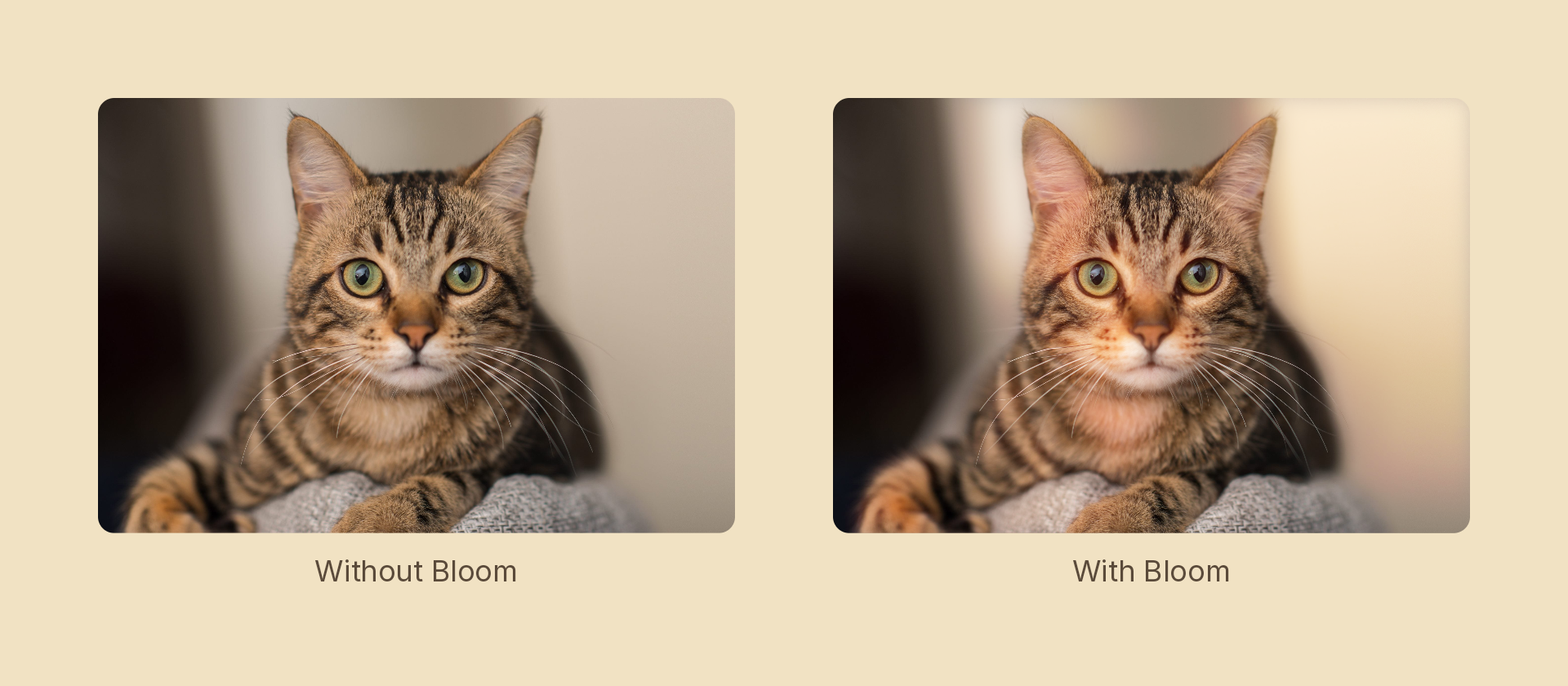
Usage
import { Effects } from '@motion-script/core';

// Default bloom
<Rect effects={Effects.bloom()} />

// Custom threshold, spread, and intensity
<Rect effects={Effects.bloom({ threshold: 0.6, radius: 24, intensity: 1.5 })} />

// Raw object
<Rect effects={[{ type: 'bloom', threshold: 0.7, radius: 12, intensity: 1 }]} />
Props
The builder takes a single options object — these are its fields, and also the fields of the effect object it produces.
| Prop | Type | Default | Description |
|---|---|---|---|
type | 'bloom' | – | Effect identifier |
threshold | number | 0.7 | Luminance cutoff 0–1: only pixels brighter than this contribute to the bloom |
radius | number | 12 | Glow spread in pixels |
intensity | number | 1 | Additive multiplier for the bloom pass; higher values make the glow brighter |
mode | 'foreground' | 'backdrop' | 'foreground' | 'backdrop' blooms the content beneath the node, clipped to its silhouette, leaving the node's own content untouched |
Animating
Animate intensity to fade a glow on or off:
import { createScene, Rect, Effects, tween, lerpNumber, easeOut } from '@motion-script/core';

export default createScene(function* (stage) {
  const light = new Rect({ width: 200, height: 200, fill: 'white' });
  light.set({ effects: Effects.bloom({ threshold: 0.5, radius: 40, intensity: 0 }) });
  stage.add(light);

  yield* tween(1, (t) => {
    light.set({ effects: Effects.bloom({ threshold: 0.5, radius: 40, intensity: lerpNumber(0, 2, easeOut(t)) }) });
  });
});
Stacking with other effects
// Bloom on top of a vintage grade
<Rect effects={Effects.vintage(0.8).bloom({ threshold: 0.6, radius: 20, intensity: 1.2 })} />