Pixelate
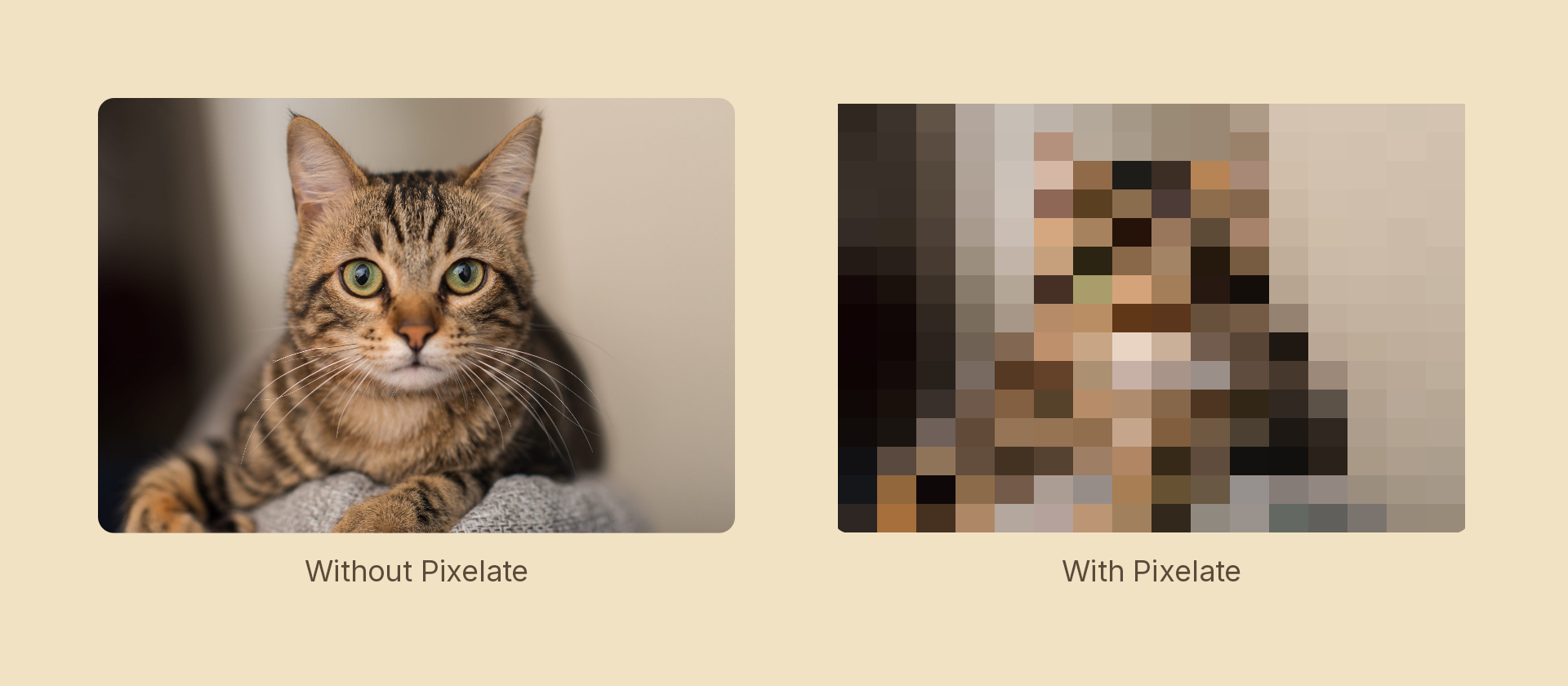
Chunks the node into rectangular blocks, like After Effects' Mosaic effect.
The block values are a block count (how many blocks span the node), not a pixel size. A count equal to the node's pixel dimension on that axis is pristine (one block per pixel); lower counts give larger, coarser blocks. For a 1920×1080 image, 1920 × 1080 is untouched and 40 × 24 is heavily pixelated.
Usage
import { Effects } from '@motion-script/core';

// Uniform block count on both axes
<Rect fill={{ type: 'image', src: './photo.jpg', fit: 'fill' }} effects={Effects.pixelate(120)} />

// Per-axis block counts + sharp colours
<Rect effects={Effects.pixelate({ blocks: { x: 200, y: 180 }, sharpColors: true })} />

// Uniform count via an options object
<Rect effects={Effects.pixelate({ blocks: 80, sharpColors: false })} />

// Raw effect object
<Rect effects={[{ type: 'pixelate', blocks: { x: 200, y: 180 }, sharpColors: true }]} />
Effects.pixelate(options) takes a bare number (the same block count on both
axes) or an options object. Per-axis counts go in blocks as { x, y } — one
field for one quantity, so there is never a pair to keep in sync.
Props
The builder takes a single options object — these are its fields, and also the fields of the effect object it produces.
| Prop | Type | Default | Description |
|---|---|---|---|
type | 'pixelate' | – | Effect identifier |
blocks | number | { x: number; y: number } | – | Block count across the node. A single number applies to both axes; { x, y } sets them independently (AE "Horizontal/Vertical Blocks") |
sharpColors | boolean | true | Solid blocks (true) vs. smoothly blended (false); mirrors AE's "Sharp Colors" |
mode | 'foreground' | 'backdrop' | 'foreground' | 'backdrop' pixelates the content beneath the node, clipped to its silhouette, leaving the node's own content untouched |
Animating
Start with a low block count (coarse) and animate up to the node's resolution to reveal the image:
import { createScene, Rect, Effects, tween, lerpNumber, easeInOut } from '@motion-script/core';

export default createScene(function* (stage) {
  const img = new Rect({
    width: 600,
    height: 400,
    fill: { type: 'image', src: './photo.jpg', fit: 'fill' },
  });
  img.set({ effects: Effects.pixelate(40) });
  stage.add(img);

  yield* tween(1.5, (t) => {
    img.set({ effects: Effects.pixelate(lerpNumber(40, 600, easeInOut(t))) });
  });
});
Stacking with other effects
<Rect effects={Effects.pixelate(120).grayscale(0.5)} />