Magnify
Places a magnifying-glass lens over any node. The lens reads from the backdrop (the content painted beneath the node) and scales it about a center point. The node's shape acts as the lens boundary (circular for Ellipse, rectangular for Rect, etc.).
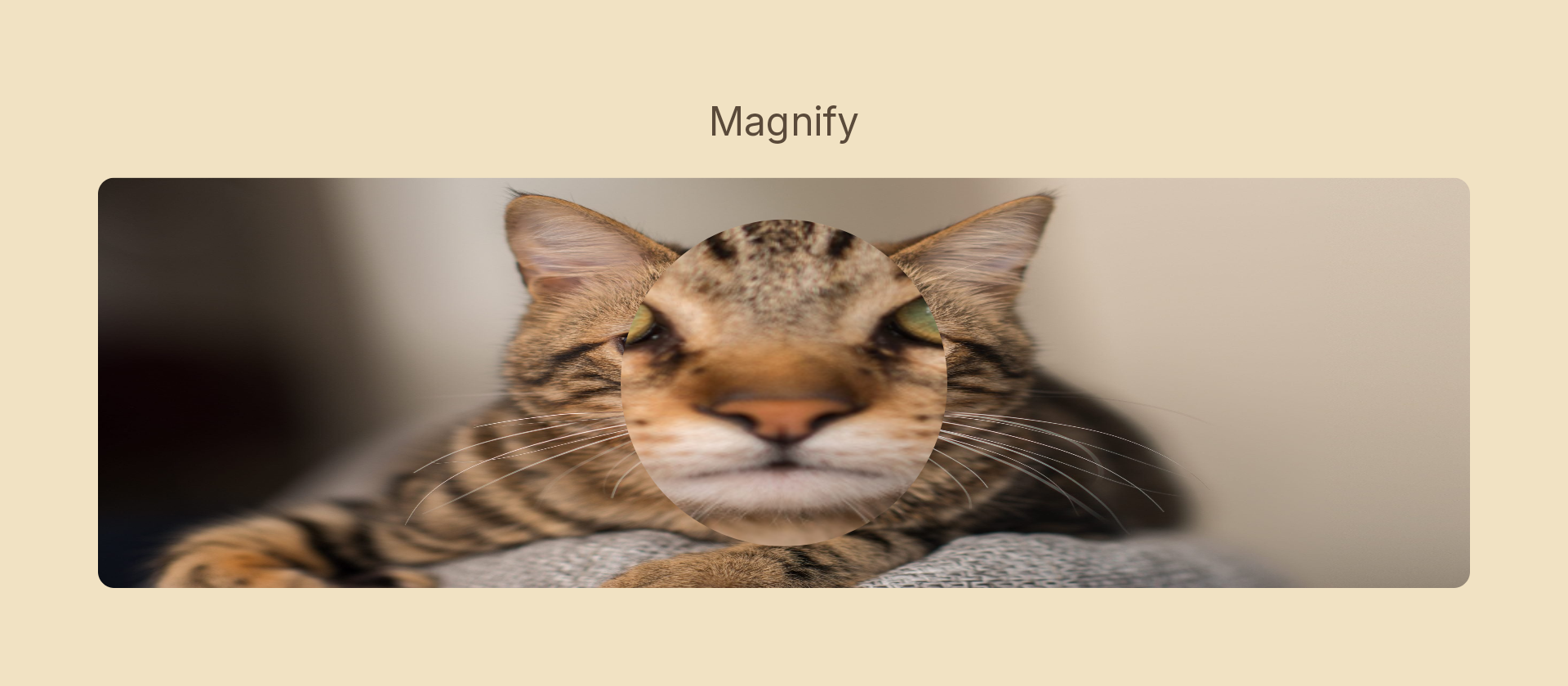
Usage
import { Effects } from '@motion-script/core';

// 2× magnification, centered
<Ellipse width={200} height={200} effects={Effects.magnify(2)} />

// Custom scale and off-center focal point
<Ellipse width={200} height={200} effects={Effects.magnify({ scale: 1.5, center: { x: 0.3, y: 0.4 } })} />

// Raw object
<Ellipse effects={[{ type: 'magnify', scale: 2, center: { x: 0.5, y: 0.5 } }]} />
The node must be layered over other content for the effect to be visible: it magnifies whatever is painted below it in the scene.
Props
| Prop | Type | Default | Description |
|---|---|---|---|
type | 'magnify' | – | Effect identifier |
scale | number | 2 | Magnification factor: 1 = no magnification, 2 = 2×, 0.5 = zoom out |
center | { x: number; y: number } | { x: 0.5, y: 0.5 } | Focal point in 0–1 layer coordinates (top-left 0,0, bottom-right 1,1) |
mode | 'foreground' | 'backdrop' | 'backdrop' | Magnify is a backdrop effect by default — it resamples what is painted beneath the node |
Animating
Animate scale to make the lens zoom in or pan:
import { createScene, Ellipse, Image, Effects, tween, lerpNumber, easeInOut } from '@motion-script/core';

export default createScene(function* (stage) {
  const photo = new Image({ src: './photo.jpg', fit: 'fill', width: 800, height: 600 });
  const lens = new Ellipse({ width: 200, height: 200, effects: Effects.magnify(1) });
  stage.add(photo, lens);

  yield* tween(1.5, (t) => {
    lens.set({ effects: Effects.magnify(lerpNumber(1, 2.5, easeInOut(t))) });
  });
});
Stacking with other effects
Magnify is a backdrop effect and reads from the scene behind the node, so it composes naturally with other effects on sibling nodes. Stack additional effects after magnify to process the magnified result:
// Magnify and add a slight blur to soften the lens edges
<Ellipse effects={Effects.magnify(2).blur(2)} />