Directional Blur
Smears the node's content along a single axis, producing a linear, motion-blur-style streak. Unlike Motion Blur, the direction and length are authored manually rather than derived from the node's velocity.
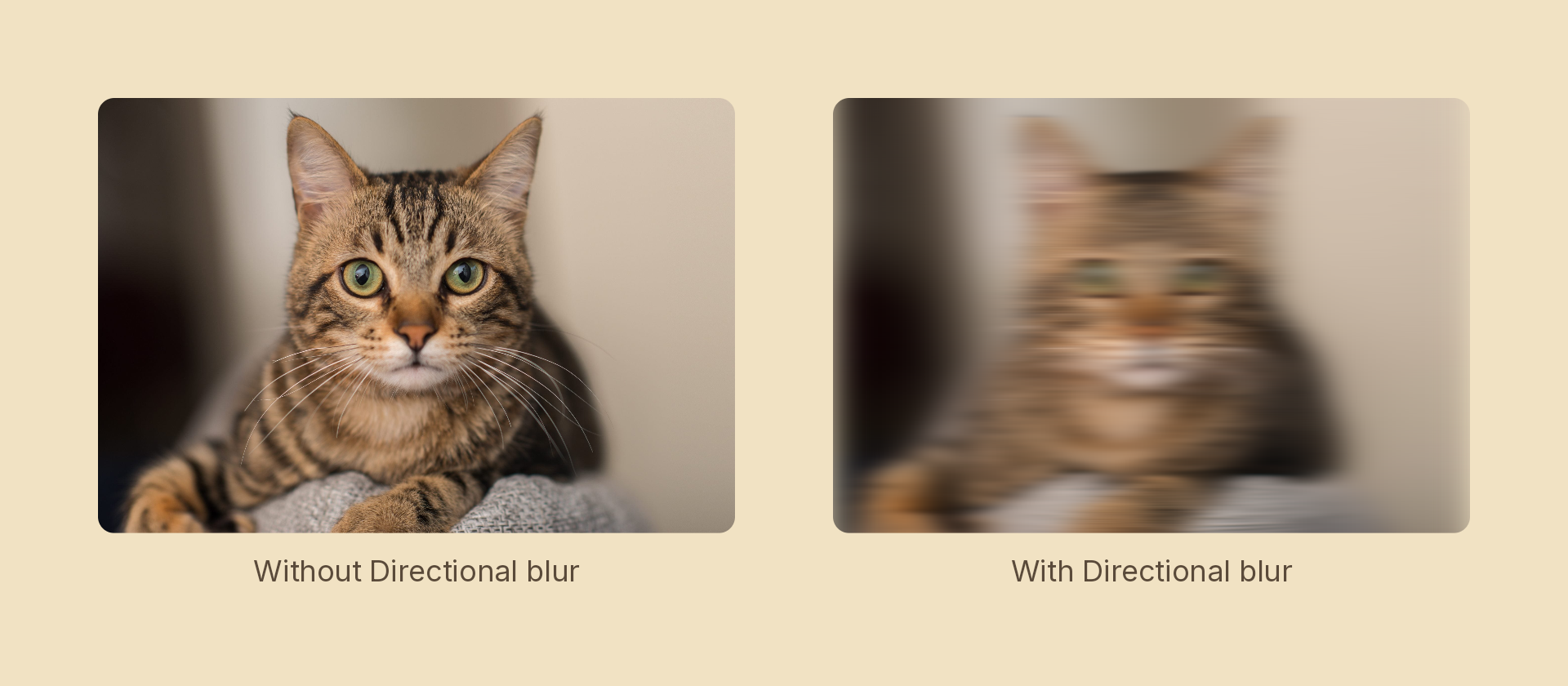
Usage
import { Effects } from '@motion-script/core';

// Horizontal smear, 40px
<Rect effects={Effects.directionalBlur(40)} />

// Diagonal smear
<Rect effects={Effects.directionalBlur({ radius: 20, angle: 45 })} />

// Raw object
<Rect effects={[{ type: 'directionalBlur', radius: 40, angle: 0 }]} />
Props
| Prop | Type | Default | Description |
|---|---|---|---|
type | 'directionalBlur' | – | Effect identifier |
radius | number | – | Smear length in pixels |
angle | number | 0 | Smear angle in degrees (0 = horizontal, 90 = vertical) |
mode | 'foreground' | 'backdrop' | 'foreground' | 'backdrop' smears the content beneath the node, clipped to its silhouette, leaving the node's own content untouched |
Animating
Animate radius to create a speed-up or slow-down effect:
import { createScene, Rect, Effects, tween, lerpNumber, easeIn } from '@motion-script/core';

export default createScene(function* (stage) {
  const card = new Rect({ width: 500, height: 300, fill: 'royalblue' });
  card.set({ effects: Effects.directionalBlur(0) });
  stage.add(card);

  // Blur out to the right
  yield* tween(0.6, (t) => {
    card.set({ effects: Effects.directionalBlur(lerpNumber(0, 60, easeIn(t))) });
  });
});
Stacking with other effects
// Motion-look: directional blur + chromatic aberration
<Rect effects={Effects.directionalBlur(30).chromaticAberration(6, 0)} />